• We do not provide troubleshooting help for unsupported phones. Please try with a supported phone.
  • V20 Update 10 Alpha 2 Learn more

Unsupported WP820 with phone vs fxs template

Status
Not open for further replies.

Matjes

SOHO User
Advanced Certified
Joined
Dec 23, 2019
Messages
11
Reaction score
1
After some tinkereing I got the Grandsteram WP820 to provision as a regular phone rather than a DECT handset. To my surprise even auto provisioning worked. This is only tested behind an SBC and your mileage may vary. Even though CSTA is enabled in the template the phone does not show up inside the web clients dialer. Maybe someone has a solution to that. The template is working but I would consider it work in progress.
 

Attachments

I have now changed the template for the WP820 and the phonebook is now transferred correctly with German umlauts.

But what I do not know is how to change the template so that the username is shown in the display.

Can someone please help me?

Thanks
 
honestly just upload it through the admin panel, you don't have to go dropping it in manually.

Also this is not for a GS820, but for WP820
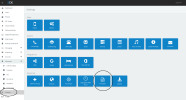
Hi Brent - I have hosted service thru 3cx v18 and cannot find on the admin panel where to upload phone template - sorry for the newbie question and thanks for addressing this phone
 
Bildschirm­foto 2022-11-17 um 13.45.28.png
 
1668690261627.png


Thanks - howvever my hosted version does not show the templates logo - any idea how to activate it. ?
 
Thank you - is self hosted with usual cloud provider ok for displaying templates or will i need to install on premise gears ?
 
Thank you - is self hosted with usual cloud provider ok for displaying templates or will i need to install on premise gears ?
That is correct, if you deploy a machine on the cloud that is self-managed you will be able to see the templates.
 
Hi - I was able to see templates section from my self-managed instance / i also updated pro from standard and I'm intending to upload the grandstream xml file provided on this thread- now my issue:

i can click on add+ buttom and do get the folder offering to select a file yet all are greyout including xml file extension / even a xml file from existing list cannot be locally saved from the server

any suggestions ?
 
This section is only for uploading IP Phone templates.
Dect phones are hardcoded, and no custom templates can be uploaded.
 
ive used the template on 12 of these now without encountering the issues you listed @thghh , so perhaps your system is different, or you are using an older firmware, ensure the firmware is 100% up to date, and note that 3CX will not show the latest firmware for it.
 
Thank you both for suppot - it is working ! issue probably due to chrome - what i did to overcome :
- in parameters / templates - clicking on add to pop up file selection window
- go below and select display options to all files (so that no file gets greyout )
- search for your file : in our case grandtsream......ph.xml
- select to add

The phone profile gets highlighted in red - but it works great on our network.

in 2022 - 3cx should embrace Ip phones natively as office/commercial networks gets better especially moving to 5Ghz
 
Hi Brett,
Template works well so thank you for this. The only issue I have is that when the phone puts a user on hold, the call is dropped after 30 secs. I think it has something to do with a SIP keep a live message being sent back to the PABX to keep the session alive. Will keep investigating and playing with the settings in the phone. Once I work out that then I'll have to update the template to add the required options in.

Has any one else experienced this?
 
Good Day
I just want to find out if this template will work on the Grandstream WP825 devices?
 
Status
Not open for further replies.

Forum statistics

Threads
112,147
Messages
590,959
Members
165,167
Latest member
Finatra.us