• We do not provide troubleshooting help for unsupported phones. Please try with a supported phone.
  • V20 Update 10 Alpha 2 Learn more

Unsupported WP820 with phone vs fxs template

Status
Not open for further replies.

Matjes

SOHO User
Advanced Certified
Joined
Dec 23, 2019
Messages
11
Reaction score
1
After some tinkereing I got the Grandsteram WP820 to provision as a regular phone rather than a DECT handset. To my surprise even auto provisioning worked. This is only tested behind an SBC and your mileage may vary. Even though CSTA is enabled in the template the phone does not show up inside the web clients dialer. Maybe someone has a solution to that. The template is working but I would consider it work in progress.
 

Attachments

Hi BrenttG,

The transfer is working now. The root problem was in network wifi.
In the dialplan I have make some change to support call pickup and now everthing is working fine.
<!-- DialPlan --> <item name="account.1.call.dialplan">{ x+ | \+x+ | *0 | *1 | *x+ | *20* | *xx*x+ | x+*x+*x+*x+ | x+*x+*x+*x+#x+ }</item>

Need change in both account1 and account2
 
maybe check your settings in 3CX, mine works
 
  • Like
Reactions: the_jackal_br2001
Fantastic, thank you very much

A few remarks though :-)

1) You have to restart to make the custom provisoning work, this is just an information for users like me who search for a problem which is not existent :-)

2) After provisonning you have to manually set the download option for contact from off to http or https on the phone and
3) The fields of the contacts seem to match to the wrong fields on the phone

For the rest it works like a charm

Philippe
 
Hey Brent, I am using a off site server while trying to set this up. I have tried everything but do not get the prompt for the Username and VM Pin. It is setup with STUN ...... What am I missing?

Thanks
 
Are you using a WP820 or WP810?

Did you import the most recently posted template?

Did you put the phone on the wifi and then reboot it?
 
Awesome thanks for saving me a bunch of time :)

Only thing I changed for my direct STUN set up is the below:

<!-- NAT Traversal -->
<!-- No, STUN, KeepAlive, UPnP, Auto, VPN -->
{IF network=LOCALLAN}
<item name="account.1.network.natTraversal">No</item>
{ENDIF}
{IF network=REMOTESTUN}
<item name="account.1.network.natTraversal">STUN</item>
{ENDIF}
{IF network=SBC}
<item name="account.1.network.natTraversal">No</item
{ENDIF}

and :

<!-- STUN Server -->
<item name="network.stunServer">%%PROVLINK.HOST%%:5060</item>

I've never used it with SBC so might be missing some bits for this
 
Why did you edit the template? it was already configured for SBC, Stun, and local? It is supposed to just drop in and then work, you should not be editting anything unless you have some custom functionality you wanted to add, all of the local, SBC, direct sip pieces were already setup in the template.

I have been using 3 of these, 2 on direct sip, 1 on SBC since april, without any need to make changes from the template i posted for download, they work absolutely flawlessly....
 
Hey BrenttG

where to put the .xml file in on premise with 3CX fpr Linux ?

I tried several location but the GS820 don´t ask for extention-number and password. Wifi connection works but the GS820 do not provision
 
/var/lib/3cxpbx/Instance1/Data/Http/Templates/phones
 
honestly just upload it through the admin panel, you don't have to go dropping it in manually.

Also this is not for a GS820, but for WP820
 
Has anyone attempted this template lately?
We're running 3CX in the datacentre, and connecting to smaller sites via STUN, larger via SBC.
I have successfully uploaded the template (Through the Admin Console)

However, once the phone is added, we do not get a provisioning link.
I receive the following error;
"Provisioning Link: Not available - Check provisioning guide for more info"

We're running v18.0 Update 5 (Build 418)
I've also tested this on a separate system, with no luck.
 
Last edited:
What do you need the provisioning link for? I have never had to use it on one of these phones....

You just reboot it if it was already on when you added it to 3CX, and after a few minutes sitting idle while connected to WiFi it will pop up and ask for the extension number and voicemail pin, put them in, and puff, it provisions itself.
 
What do you need the provisioning link for? I have never had to use it on one of these phones....

You just reboot it if it was already on when you added it to 3CX, and after a few minutes sitting idle while connected to WiFi it will pop up and ask for the extension number and voicemail pin, put them in, and puff, it provisions itself.
Haven't had that success, unfortunately.
It's been sitting idle for a few hours now, gave it a reboot, and no luck.
As we are unable to get a provisioning URL we're unable to point the phone to the 3CX Instance.

I should've mentioned, this is a Direct/STUN deployment
 
Stun or SBC doesn't matter, btw, the provisioning link is the same as it is for any Yealink and most other devices.
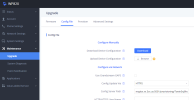
1668575829129.png
 
After some more trailing, I was able to get this registered successfully.
3CX Will not generate a provisioning URL, so didn't spend any more time on that.
Was able to get this to successfully provision this phone using the latest firmware (1.0.7.50) and a URL I stole from one of our Yealink phones.

Now onto some testing, and building out a suitable wireless network!

Thanks for your help.
 
oh yea, if you had a really old firmware, thats also probably why it was having provisioning difficulties, earlier in this thread it states to update to the latest firmware first.
 
Hello,

thanks for the template.

I also use the WP820 and WP810 and am very happy with both. With proper wifi coverage, the wifi devices work great.

Downloaded the template for my WP820 and the provisioning works as well.

However, the display of the WP820 no longer shows the user name but only the extension number and that is unfortunately very unpleasant.

Furthermore, the 3CX phonebook was not automatically transferred, but I had to change the protocol in the WP820 web interface from tftp to http and then manually trigger.

It also did not transfer umlauts because the file encoding is set to Windows-1251 and not UTC-32.

Unfortunately, these settings are overwritten again with every provisioning.

From this point of view the template is unfortunately not ideal to use.
 
Throw that to the garbage lol the 810 is a dead product.

I don't think so, since the new WP822 and WP825 models use the same firmware as the WP810.
 
I don't think so, since the new WP822 and WP825 models use the same firmware as the WP810.
It still is. The HW is better in those two other models.
 
It still is. The HW is better in those two other models.

That may be, but at first glance, at least the WLAN range is identical.

Video also seems to no longer support the new model.

A template for the WP810/822/825 would be great because the 820 unfortunately does not run.
 
Status
Not open for further replies.

Forum statistics

Threads
112,147
Messages
590,954
Members
165,165
Latest member
cvanderzwan