Yealink BLF inconsistencies

Status
Not open for further replies.

netswork

Bronze Partner
Intermediate Cert.
Joined
Mar 11, 2011
Messages
606
Reaction score
4
I have a customer with some yealink t28's running 2.61.0.80 and some t38's running 38.0.0.115.

The customer is saying that a lot of the time the BLF status is not accurate. It shows the BLF as busy when they are not on the phone and vice versa. Anyone seen this and maybe know how to resolve it?
 
I have been able to verify that it takes up to 30 seconds between when an extension makes a call and all of the other phones BLF updates to red.
 
My system - I tested (right now just 4 phones installed) but when I click on a Shared Park for the Yealink (T26 and T38) it shows up within a second and goes back to green within a second.
Not sure about BLF's though.
 
We have been able to narrow it down to this.

all 10 phones are in a ring group...all phones have all extensions as BLF.

A call comes in and a phone answers it. The BLF shows up.

The second call comes into the ring group and resets that BLF to green...even though they are still on the phone.
 
We are also getting phones that just start flashing on the BLF's even though there is not a call to that extension.
 
I have been able to determine that if a user picks up their yealink and dials their outside phone number it causes the phone that made the call to go gray on all the BLF's and the other phones BLF's start flashing over and over and then calls start going to voicemail.

We have to reboot the phone that initiated the call and then the other phones stop flashing after up to 30 seconds.
 
I just tested mine:
Ring group 6006 to ext 4954 and 4955 (IT Dept).

4954 Answered and his light is now red.
Someone else calls 6006 and the BLF is still red for 4954 at 4955.
4955 picks up and his BLF is red at both locations.

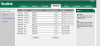
Here is my BLF setup for x4954.
 

Attachments

  • 4954.png
    4954.png
    47.6 KB · Views: 1,021
What firmware are you running? I have a mix of t.28 and T.38. My BLF setup looks like yours, it is provisioned from 3cx.
 
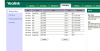
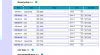
Here are my DSS config from a 28 and 38
 

Attachments

  • t38.PNG
    t38.PNG
    107.9 KB · Views: 1,020
  • t28.PNG
    t28.PNG
    69.4 KB · Views: 1,020
The only thing we have changed is in the provisioning file line button 3-6 are set as Shared park lines rather than the Extension.
 
I'm scared of Shared Park on the Yealink still - since the phone does not read the BUSY SIGNAL from 3cx when you try to park a second call in the same spot.
I am on the UK Firmware 38.0.23.16 because it has SRemoteName.
Quick question, if you are on the US Firmware -> Does it have Multicast Paging Button and Multicast Paging Listener?
http://www.yealink.com/Uploads/download/4ee62bbcac68d.pdf

The UK version does not. The T2x does have it.
 
I see multicast on the t.28 but not the t.38.

What would be the difference in multicast paging or the regular paging? I know 3cx has an option to setup a paging group as multicast.
 
Speed.
With 60 handsets - 3cx has to contact each unit.
With multicast - the phones are always listening.
 
3cx support was unable to find a problem with 3cx on my issue. They are blaming the phone but we are on the latest firmware. They want me to revert back to 2.61.0.70 on the t28's. Anyone have a copy of that firmware? It does not seem to be available on their website and Yealink does not respond to emails.
 
You could try the UK Firmware - v 2.60.23.18
http://yealink.co.uk/downloads/
 
Are there any significant differences in the UK version?
 
On the T38 - there is a function SRemotEName which looks up from the Extension list "Who" I am calling.
ie: I dial 4954 and I see "Craig Reilly"

Is exists on the T26 as well - but doesn't seem to do the same thing.
 
But all of the settings and interface are still in english?
 
yes... i haven't noticed any British English either.
 
Status
Not open for further replies.

Forum statistics

Threads
111,852
Messages
589,384
Members
164,690
Latest member
rick.yamamoto