Yealink Massive Packet Loss at 1 Location (T23G T43U, and T33G)

Status
Not open for further replies.

SpreenTech

Premier Customer
Joined
Oct 9, 2016
Messages
12
Reaction score
4
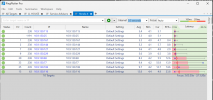
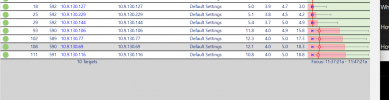
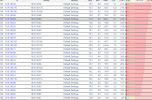
We have four locations. Only 1 location is experiencing heavy packet loss with these particular phones. We notice T29G, T27G, T53's work fine. But any of these other phones, T23G, T43U, and T33G have massive packet loss like 5-15%.

We have narrowed the phones down on 1 switch, we have vlan'ed them and segmented them off in small groups, we have tried many different switches, even different brands. We have shut down the entire buildings electrical, and just fired up the switch to eliminate any interference.

When we take the phone and shut off the native VLAN; the problem stops. But once we turn that on; its as-if the phone is listening to the native vlan and getting bogged down by something; even in small groups.

What can I do to solve this problem? I feel like its the phones, and we have tried plenty; especially new ones out of the box, we have probably bought 40 phones new out of box to try at this site.

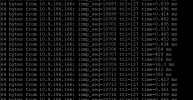
We not only see packet loss on ping plotter, but we see lag spikes from any pc behind the phone... (see command line ping)
 

Attachments

  • Screenshot 2024-08-29 193206.png
    Screenshot 2024-08-29 193206.png
    66 KB · Views: 10
  • Screenshot 2024-09-13 021323.png
    Screenshot 2024-09-13 021323.png
    103.2 KB · Views: 10
  • Screenshot 2024-09-13 114723.png
    Screenshot 2024-09-13 114723.png
    54.7 KB · Views: 9
  • Screenshot 2024-09-13 122728.png
    Screenshot 2024-09-13 122728.png
    149.6 KB · Views: 9
Hello,
did you opened a support ticket with yealink?
 
  • Like
Reactions: JohnS_3CX
What is the version number of each device have the problem ?
Have you performed a traceroute to determine exactly where the packet loss is occurring?

Have you tried resetting the phone to factory settings, configuring the VLAN, and trying again?
Have you tried tagging your network port on the switch for PVID VLAN ... and testing without configuring the VLAN on the phone, just to double-confirm the hypothesis that the issue only occurs when the phone is VLAN tagged itself?
 
  • Like
Reactions: JohnS_3CX
Good morning,
I don't know if it can be the same problem,
but I experience this problem on 2 Yealink T43U's of a customer who has 5.
Specifically I am also experiencing this problem with version V18 and upgrading to V20 has not changed.
The problem I am experiencing that A and B can hear each other for a while and then at some point B can no longer hear A.
I tried putting in two new phones since Yealink support told me it was a hardware problem, but it did not change.
The phones are connected to the main switch where it is passed two VLANs one phone and one PC.
 
As a troubleshooting step, Id connect those to another switch via patch cable only. This might just be down to a bad cable, or connection at the wall point.

Try these phones on a different switch or even a different, known working, site.
 
So we have narrowed this down to a multicast storm. Particularly coming from the windows machines in the building. Not sure why Windows 11 would be so mDNS intensive, but just in some small tests we noticed gigabytes of data flowing out of client side across the network.

mDNS Traffic Spikes:More recently, I've noticed that mDNS traffic is going wild on my network, and I’m trying to understand why it’s happening and whether it’s contributing to the packet loss issues. I’ve read that mDNS is useful for local name resolution, but in my case, it seems to be generating excessive multicast traffic.

Why would these computers be calling out so much?

To reduce it; we started by eliminating ipv6 across those machines... that did not help; it just used ipv4, but it helped solve the problem because I could easily block on the switch itself using ACL commands to 224.0.0.251 port 5353. I have the commands if people want them; for Unifi USW 48 port poe switches... the documentation is not great for unifi.

But on another wing of the network; another building connected to fiber; we havent removed ipv6; but we see mdns coming over thru that; and I've attempted to block ipv6; but cant get to that granularly enough to be specific; instead I was blocking all UDP traffic on ipv6; and I just read thats not recommended.

Any thoughts on whats going on here? Why these windows machines are contributing to so much chatter and disruptive network packets that it causes phones to BOG down to the point they are dropping packets and sluggish.
 
Status
Not open for further replies.

Members Online Now

Forum statistics

Threads
111,832
Messages
589,278
Members
164,662
Latest member
DejanMDS