


- Joined
- Jun 13, 2019
- Messages
- 88
- Reaction score
- 24
PBX was upgraded from v16 to v18 yesterday. Process was smooth and we received email that the upgrade was successful. PBX works today in terms of calls. The Windows app works fine. All updates to PBX applied. All desk phones reporting as being on supported firmware. T46G phones at my client site are showing BLF keys with person icon in the disconnected state. Calls are still able to be made to those extensions successfully, so they are actually online. The extensions also show online in the PBX. Selecting desk phones at client site such as extension 4048 and selecting to reprovision it, the red light on the phone does not flash like it should during a reprovision. All phones are on the same VLAN as PBX. There is no network traffic filtration between the PBX and the desk phones. We have rebooted desk phones.
I have added a screenshot of what the T46G looks like in terms of BLF keys.
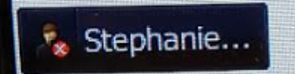
I compared this behavior with a T46G at my office. I upgraded our PBX yesterday also. Same version, same OS, same phones. The T46G in my office with the same firmware version shows people BLF icons with green online/available. Therefore, I know that the icons should be appearing as they did before on version 16 of 3CX.
Please advise on why you think the T46G phones would not be doing a successful reprovision after v18 upgrade and that the BLFs would be indicating that the extensions are offline.
I have added a screenshot of what the T46G looks like in terms of BLF keys.
I compared this behavior with a T46G at my office. I upgraded our PBX yesterday also. Same version, same OS, same phones. The T46G in my office with the same firmware version shows people BLF icons with green online/available. Therefore, I know that the icons should be appearing as they did before on version 16 of 3CX.
Please advise on why you think the T46G phones would not be doing a successful reprovision after v18 upgrade and that the BLFs would be indicating that the extensions are offline.


