- Joined
- May 20, 2021
- Messages
- 22
- Reaction score
- 4
Hi,
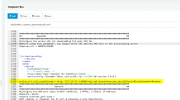
I'm am creating a custom template for a Yealink T46S so that I can add a Action URL easily across multiple hadsets. So far I have copied the existing 3CX template, renamed it and added in my change. Below is the change I have added into the template. Everything after the equals sign is what I have added.
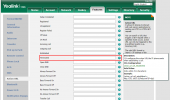
However when I push this out to the handsets and log into the Web GUI this field is blank and when I export the CFG Configuration File the change is not there. If I add it manually via the Web GUI it will then show up in the CFG file.
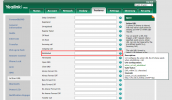
Can someone please help figure out why this is not pushing via 3CX? I need to be able to do this via the template as I cannot access all phones via the Web GUI. I have also made sure the firmware is
I'm am creating a custom template for a Yealink T46S so that I can add a Action URL easily across multiple hadsets. So far I have copied the existing 3CX template, renamed it and added in my change. Below is the change I have added into the template. Everything after the equals sign is what I have added.
action_url.call_established = http://172.18.76.2:8888/help.xml?event=answ_new_incall&local=$local&remote=$remoteHowever when I push this out to the handsets and log into the Web GUI this field is blank and when I export the CFG Configuration File the change is not there. If I add it manually via the Web GUI it will then show up in the CFG file.
Can someone please help figure out why this is not pushing via 3CX? I need to be able to do this via the template as I cannot access all phones via the Web GUI. I have also made sure the firmware is
Attachments
Last edited: