Yealink T54W - Incorrect time

Status
Not open for further replies.

CTG2020

Bronze Partner
Basic Certified
Joined
Feb 13, 2020
Messages
30
Reaction score
4
Hello,

When provisioning the T54W with the default template the time is showing incorrect. On the 3CX MC I've set the Timezone to "0 United Kingdom(London) but the phone shows 8 hours ahead of that time.

Details of the 3CX/Phone(s) below:
  • 3CX Version: 16.0.493
  • Server OS: Debian 9
  • Is the 3CX Server Hosted and where? Hosted on a VPS in the cloud
  • IP Phone Make/Model/Firmware: Yealink T54W Firmware: 96.84.0.35 (latest)
  • Provisioning Method: Local / VPN / STUN / SBC: SBC
  • Are custom Phone Templates being used: No
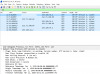
Please also find attached Pcap showing NTP connectivity (Internal IPs removed):pcapt54w.png

If you could please assist, thanks!
 
is UDP port 123 open on your firewall?
Is your gateway set with right IP settings?

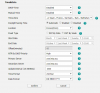
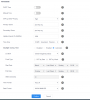
in phone GUI do you have something similar (i'm in France so +1 for winter time)
1583929369342.png
 
Do you have any ntp option settings on DHCP server ?
 
is UDP port 123 open on your firewall?
Is your gateway set with right IP settings?

in phone GUI do you have something similar (i'm in France so +1 for winter time)
View attachment 14850
UDP Port 123 is open on the firewall.

I believe the gateway is set as the phone can make and receive calls.

Please see below date and time section of the phone:
1583931644558.png
 
Do you have any ntp option settings on DHCP server ?
NTP is set by the defaults set the the template file, in this case the pool.ntp.org is set, not DHCP.
 
The gateway is not used for making and receiving calls - this is via 3CX server.

The gateway should be your internet router.

I would double check your firewall, and verify udp port 123 is allowed out and not restricted to certain IP addresses.

I would say this is a network issue, as the settings are correct in the phone gui.
 
Just tested this with a Yealink T40G and it provisioned straightaway with the right time.
 
Please check the DNS settings of the phone.
e.g. Prim DNS: 8.8.8.8 - Sec DNS: 1.1.1.1
 
Please check the DNS settings of the phone.
e.g. Prim DNS: 8.8.8.8 - Sec DNS: 1.1.1.1
DNS is set to:

Primary: 8.8.8.8
Secondary: 8.8.4.4
 
did you already try a factory reset of the phone and reprovisioning from scratch ?
 
did you already try a factory reset of the phone and reprovisioning from scratch ?
Yes, reset > provisioned with both STUN and SBC, same result.
 
Do you have another phone same model to try with ?
 
Can you try a previous firmware release for this phone to see if it fix
 
  • Like
Reactions: CTG2020
Can you try a previous firmware release for this phone to see if it fix
Struggling to find older firmware, anyone got a link to previous firmware downloads? I'm unable to find the links on Yealink's site.
 
  • Like
Reactions: AWS2P and CTG2020
  • Like
Reactions: AWS2P
Glad to see I point you in right direction and Saqqara too ;)
 
Status
Not open for further replies.

Latest Posts

Forum statistics

Threads
111,939
Messages
589,843
Members
164,825
Latest member
john.fuchs