- Joined
- Dec 1, 2021
- Messages
- 127
- Reaction score
- 21
Hello all!
I hooked up my Yealink phone and it got a local IP address. I logged in with the default admin/admin credentials.
I then Auto-Provision the phone with the Auto-Provision URL from the dashboard.
Once Auto-Provisioning completes, I can no longer log into the phone!
admin/admin no longer works.
Can you please let me know what credentials I should use? I even tried the User Name/PW under that particular User (Extension), but that did not work either.
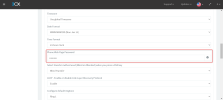
This is in "Authentication details used by phones & apps. Reprovision after a change".
Help!
Thanks!
Russ
I hooked up my Yealink phone and it got a local IP address. I logged in with the default admin/admin credentials.
I then Auto-Provision the phone with the Auto-Provision URL from the dashboard.
Once Auto-Provisioning completes, I can no longer log into the phone!
admin/admin no longer works.
Can you please let me know what credentials I should use? I even tried the User Name/PW under that particular User (Extension), but that did not work either.
This is in "Authentication details used by phones & apps. Reprovision after a change".
Help!
Thanks!
Russ