Zoho CRM integration is working but First Name is blank

Status
Not open for further replies.

melcar09

Forum User
Joined
Dec 31, 2020
Messages
1
Reaction score
0
Hi, first post here!

I have the integration with Zoho Desk working fine, but in the 3CX phonebook, the first name is coming up empty.

I have tried to modify the CRM template to accommodate for this, and in fact, when testing the script template, I am getting all the information. Having said that, the First Name in the phone is still coming up blank.

Any ideas please?
 
We don't provide an integration with Zoho Desk, only Zoho CRM is supported. You're probably using a custom made template, so you would need to contact the template developer for help.

If this is a typo and you're integrating with Zoho CRM, then we would need to see the logs in verbose mode. Please, enable verbose logs from the 3CX Console > Dashboard > Activity Log > Settings. Then delete the CRM contact from the 3CX phonebook, make a call from this number, and check the 3cxSystemService.log, where you will see what 3CX is sending to the CRM, and what the CRM is answering back.
 
  • Like
Reactions: Evolute IT
You can DM me. We do this kind of custom templates all the time.
 
  • Like
Reactions: edossantos
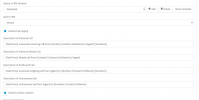
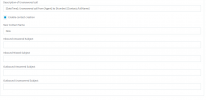
Hi - i am trying to integrate 3cx to Zoho desk and i've been only been able to populate entries on only the enable call logging function. Any sort of assistance would of great help

1611776392800.png

1611776447323.png
 
Thank you for your feedback.

I've integrated Zoho crm with desk and while testing, i am getting the below error;

1613483714536.png
 
Zoho Desk again? This says a field is not available for search. Check the logs to see which one.
 
  • Like
Reactions: edossantos
Yes. Since zoho desk integration and 3cx isn't possible - the idea is to integrate zoho crm with 3cx and in turn, sync desk and zoho crm

From the logs;

"reason":"the field is not available for search","api_name":"Fax"
 
Is that in the Lead, Account or Contact scenario? It's because a Fax field hasn't been marked "searchable".

Zoho Desk/CRM sync is done on Zoho side. You should use Zoho CRM integration on 3CX.
 
  • Like
Reactions: edossantos
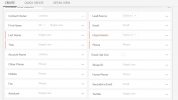
I had to add the fax field on contacts. Success!

1613486100333.png


This has trickled down to the 3cx integration test. Thank You!
 
Status
Not open for further replies.