- Joined
- Jan 12, 2022
- Messages
- 5
- Reaction score
- 2
Could anyone please assist with this error when test "The 'file' scheme is not supported". Was checked with a known E164 formatted number. Template is v37 and is stock standard.
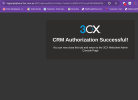
I have previously had the Zoho CRM integration working. I am not sure what the cause of it not working. I decided to reset and re-enter all the elements again. I did the authorisation multiple times to no success.
I have read the other threads for solution and none appear to assist.
Here is the log:
Started scenario with empty id
Request text: file://
System.NotSupportedException: The 'file' scheme is not supported.
at Microsoft.Extensions.Http.Logging.HttpClientLoggerHandler.SendAsync(HttpRequestMessage request, CancellationToken cancellationToken)
at Microsoft.Extensions.Http.Logging.HttpClientLoggerHandler.SendAsync(HttpRequestMessage request, CancellationToken cancellationToken)
at System.Net.Http.HttpClient.<SendAsync>g__Core|83_0(HttpRequestMessage request, HttpCompletionOption completionOption, CancellationTokenSource cts, Boolean disposeCts, CancellationTokenSource pendingRequestsCts, CancellationToken originalCancellationToken)
at Integration.Crm.Engine.ScenarioProcessorBase.ProcessRequest(Boolean authScenario, ScenarioRequest request, IValueManager customManager, HttpClient client, Boolean retry, CancellationToken token)
at Integration.Crm.Engine.ScenarioProcessorBase.ProcessScenario(ProtocolScenario scenario, IValueManager customManager, SqlQueryParameter[] sqlQueryParameter, List`1 stack, CancellationToken token)
at Integration.Crm.Engine.ScenarioProcessorBase.Execute(ProtocolScenario scenario, SqlQueryParameter[] sqlQueryParameter, CancellationToken token)
at Integration.Crm.Engine.CrmProcessor.GetContactInfoFromCrm(List`1 result, IEnumerable`1 scenariosToProcess, IValueManager customManager, SqlQueryParameter[] sqlQueryParameters, Func`2 filterResultsFunctor, Boolean exactMatch, CancellationToken token)
at Integration.Crm.Engine.CrmProcessor.GetContactInfo(String contactNumber, InteractionTypes interactionType, CancellationToken token)
I have previously had the Zoho CRM integration working. I am not sure what the cause of it not working. I decided to reset and re-enter all the elements again. I did the authorisation multiple times to no success.
I have read the other threads for solution and none appear to assist.
Here is the log:
Started scenario with empty id
Request text: file://
System.NotSupportedException: The 'file' scheme is not supported.
at Microsoft.Extensions.Http.Logging.HttpClientLoggerHandler.SendAsync(HttpRequestMessage request, CancellationToken cancellationToken)
at Microsoft.Extensions.Http.Logging.HttpClientLoggerHandler.SendAsync(HttpRequestMessage request, CancellationToken cancellationToken)
at System.Net.Http.HttpClient.<SendAsync>g__Core|83_0(HttpRequestMessage request, HttpCompletionOption completionOption, CancellationTokenSource cts, Boolean disposeCts, CancellationTokenSource pendingRequestsCts, CancellationToken originalCancellationToken)
at Integration.Crm.Engine.ScenarioProcessorBase.ProcessRequest(Boolean authScenario, ScenarioRequest request, IValueManager customManager, HttpClient client, Boolean retry, CancellationToken token)
at Integration.Crm.Engine.ScenarioProcessorBase.ProcessScenario(ProtocolScenario scenario, IValueManager customManager, SqlQueryParameter[] sqlQueryParameter, List`1 stack, CancellationToken token)
at Integration.Crm.Engine.ScenarioProcessorBase.Execute(ProtocolScenario scenario, SqlQueryParameter[] sqlQueryParameter, CancellationToken token)
at Integration.Crm.Engine.CrmProcessor.GetContactInfoFromCrm(List`1 result, IEnumerable`1 scenariosToProcess, IValueManager customManager, SqlQueryParameter[] sqlQueryParameters, Func`2 filterResultsFunctor, Boolean exactMatch, CancellationToken token)
at Integration.Crm.Engine.CrmProcessor.GetContactInfo(String contactNumber, InteractionTypes interactionType, CancellationToken token)