Solved Can't reinstall local trans. server

Status
Not open for further replies.

diplodock

Premier Customer
Joined
Dec 1, 2022
Messages
45
Reaction score
8
Hello!
There's a problem with the trans server.
The server was installed two months ago and was working fine.
Yesterday, it was down. In the 3CX panel, the status is down.
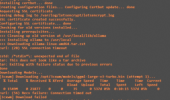
I deleted the existing service in the 3CX panel and added a new one. I copied the installation line to the transcription server. But during installation, the SSH console displays the following error (cant download):
1782215604262.png
 
Hello,

Does the AI server have general internet connectivity? Can it for example ping www.google.com, or connect to your PBXs https port? The SSL certificate generated, so that would indicate in general proper internet connectivity, but let's be sure.
 
yes it's ok for connection.
On second stage (model download), it download 21% of model. it try 3 times
 
it download around 300Mb
 
Hi @diplodock
From the screenshot you shared, it appears to be a connectivity issue preventing the Transcription Server from downloading the required components.

Could you please verify that your firewall allows the following ports:
  • TCP 61443 – allow access only from the PBX IP address
  • TCP 80 – required for Let's Encrypt SSL certificate creation/renewal (typically not needed if you are using a custom SSL certificate)
Additionally, please ensure that the transcription server has a stable internet connection and can reach external repositories to download the required drivers and packages during installation.

More information can be found here : https://www.3cx.com/docs/transcription-engine-server/
 
no problems with initial connections and sertif.
From what adresses system download
ollama-linux-amd64.tar.zst
ggml-large-v3-turbo.bin (always stop on 21%)
?
 
Little progress
ollama-linux-amd64.tar.zst - downloaded
ggml-large-v3-turbo.bin - still can't download (stop on 21% or less)
From what adress ggml-large-v3-turbo.bin downloaded?
Restartet several times.
We can't use transcr. server
 
We have not had any issues reported with the download and install. Are you sure your network is not restricted somehow, dropping long running connections?
 
server working normally. Download updates. Downloading ollama-linux-amd64.tar.zst
But not /opt/3cxwm/models/ggml-large-v3-turbo.bin
Network restricted on download source?
 
Finally, we install transcription server without errors (throu other internet connection) But status in the 3cx server - down.
What we can do for diagnose?
 
@diplodock Have you used the same command that the PBX provided you for the installation?

Can you reach the transcription server IP from the PBX machine?
 
1. Yes
2. Can ping from PBX
 
I actually had very similar issues when setting up transcription server for the first time.
It turned out to be I had accidently used the same ip as a different server.
As soon as i used a new ip for the transcription server everything resolved.
 
Hello,

Is there anything in the logs of either server that might indicate what the issue is? Are you using custom FQDNs on both sides? Are the two machines on the same network, or there are other systems between them?

If you perform the command given here - https://www.3cx.com/docs/transcription-engine-server/#h.w3vqimesvclo - what is the result? Is the PBX resolving the correct IP for the FQDN?
 
PBX working with the same trans server for 2 month. Everithing was OK till 20 of JUN. without any errors - service went to down state. Thats why we try to reinstall trans service with the same configuration. Same IP, same connection
PBX server is windows server. Nothing strange in logs. What logs we can take from trans. server? All server in same network, no systems between.
 
On the PBX, did you delete the old transcription server (3 dots at the end of the status details) or copy the create command of that one again? If it was not a deletion, I suggest you do that and add again, so you get a completely fresh config. Let us know.
 
Another thought, just to be sure - what type of FQDN are you using on the transcription server? 3CX or your own? If own, is it valid?
 
Yes, we delete the old one.And copy new command/
3cx FQDN. What we see now on PBX
1782462677443.png
 
Have you added the transcription server host name ...wmr.my3cx.net into the windows PBX server host file, or on your gateway/router as hairpin NAT / internal DNS?
That is, from the PBX if you ping that hostname, it knows to go to the 192.168 IP? And the reverse, if you try to go from the transcription server to the pbx using a hostname, does it work?
Was anything changed in your network on the day the initial install stopped working?
 
  • Like
Reactions: AbdullaR_3CX
Thank you very much!
I correct hosts file and it go online.
 
  • Like
Reactions: KyriacosS_3CX
Status
Not open for further replies.

Latest Posts

Members Online Now

Forum statistics

Threads
111,832
Messages
589,278
Members
164,662
Latest member
DejanMDS
