Solved 16 Update 8a Not showing in portal

Status
Not open for further replies.

tbasehore

Free User
Basic Certified
Joined
Jan 29, 2019
Messages
4
Reaction score
1
Hello! I have a few clients I was hoping to get on 16 Update 8a, and then update to 18 in March.
I reviewed and the the 3cx admin console shows it's up-to-date, with the button to update to 18.

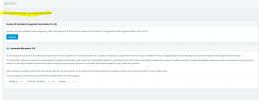
Our license shows this:

1645793594313.png

When I click into it, I see this version number which does not seem to exist:

1645793642219.png


Are we okay for now, or do I still need 16 8a? and If so, where do I get it?

Thanks a lot!
 
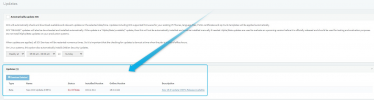
Just to confirm, if you go to the updates section in the upper right corner, you only see the button to upgrade to v18 but not the update to v16 U8a? It should be underneath where it says "Updates". It will look something like this:
1645794247537.png
 
Thanks for the quick response! Here is what it shows:


1645794681379.png

We have had Auto Updates on for awhile, so I was surprised it was not up-to-date (On 16)
 
Could you give the following a try:

1. Access the machine via SSH.

2. run the following command:
apt update
Note: Use sudo if necessary (example: sudo apt update)

3.

• If it fails please send me the whole output.

• If it succeeds, run the following command:
apt-cache policy 3cxpbx
Then please send me the output of it.
 
Thanks again. Here's the output from sudo apt update:

sudo apt update
Reading package lists... Done
E: Could not get lock /var/lib/apt/lists/lock - open (11: Resource temporarily unavailable)
E: Unable to lock directory /var/lib/apt/lists/
 
Last edited:
Happy Saturday!

Thanks for those commands. Due to that error I rebooted the 3CX server and it pulled the most recent patch for v16.

We are all set, thanks again for your assistance with this!
 
  • Like
Reactions: ChrisC_3CX
Excellent news!

You're very welcome, glad to see this is all sorted!
 
Status
Not open for further replies.

Forum statistics

Threads
111,974
Messages
590,081
Members
164,899
Latest member
mazet