3cx 15.5 no provisioning

Status
Not open for further replies.

felipeg007

Premier Customer
Joined
Jan 28, 2015
Messages
18
Reaction score
1
I am trying to manually provision a yealink T46G on 3cx 15.5.
I am able to add the phone under an extension but the config file is never generated nor do i see a download of any kind. I read that its a http request but to where and when.

I have checked the TFTP path and crossed reference with the provisioning url.

Where does 3cx generate and save the file.cfg? I have checked 2 other installs and have the same problem.


Thank you ,
Felipe
 
Last edited:
Thank you , i tried this. and i see in tftp server where the phone tries to retrieve file and it fails because file does not exist.
 
Sorry, I'm lost. Why do you use TFTP?
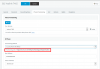
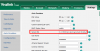
The link shown is a http link, no TFTP. Copy it over from the PBX to the phone as shown in the screenshot.
Try the link shown in your PBX and add /[MAC].cfg and it will dwnload the file. Again - via http (port 5000).
 
SECOIT is correct. Note if you cannot download this from a browser, then the template you're using is using incorrect formatting. Some xml changed can cause the server to not recognize things, but not warn you while saving. If this is the case, then you won't be able to receive a file from the browser. Then you'd have to find the error in your config files manually.
 
We have a mixed environment of phones. Yealink T46G, Polycom IP6000 and Cisco 7940's. We use Vlans, DHCP options and TFTP to pass config to phones. we upgraded from 12.5 to 15.5. In 12.5 - 3cx would generate the config file and place it in c:\programData\ 3cx......provisioning\wfu3g0ga2x\ after the upgrade it no longer generates a file. We also do not see an option to download the config.

Thanks again for the feedback.
 
V15.5 generates the config files on the fly - that is - the file does not exist until an HTTP/HTTPS request is made for the file. This deals with an old problem where pbx changes would be made but would not show up in phone configurations until AFTER the files were manually rewritten.
 
Thank you everyone, I restored the configs from my 12.5 backup placed it in the tftp path and the yealinks work.
 
Thank you everyone, I restored the configs from my 12.5 backup placed it in the tftp path and the yealinks work.

version 12.5 will work, but you will not get all the functions of version 15.5 included in the templates

Depending on your DHCP server , if windows you could try creating a DHCP scope just for the yealink phones - https://technet.microsoft.com/en-us/library/dd759190(v=ws.11).aspx

How many devices in your network, and how many phones.- it maybe better configuring QOS instead of vlans
 
Last edited:
Status
Not open for further replies.

Forum statistics

Threads
111,869
Messages
589,478
Members
164,715
Latest member
jvon@essentialnetworktech