3CX Activated Failed

Status
Not open for further replies.

Rhys Haskell

Advanced Certified
Joined
Jul 30, 2018
Messages
314
Reaction score
74
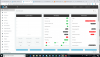
I am moving 3cx from one machine to another machine. I have taken a backup and turned server 1 off, I have deployed server 2 using the PBX express. I now have the below screen:
I have tried rebooting the server, services and still no luck.
Any ideas?

I have changed the static IP from server 1 to server 2 to keep it the same on that side.
9854
 
Just to add to the above, I have changed the IP to dynamic and it has picked up the address and then changed it back to static but am still having the same issue.
 
Reach out to your account manager. You may have activated that license too many times.
 
Reach out to your account manager. You may have activated that license too many times.
Thanks mate, just dropped her a line.
 
we are having activation issues as well with a brand new license, maybe something has changed with the v16 RC that is affecting the v15.5 licenses
 
Also having Activation issues yesterday (Sunday) and today (Monday) Melbourne time.

2 x brand new Debian 9 VMs, 3CX v15.5.15502.6, no firewall, all ports mapped, VMs accessing rest of world no problems.

Debian install is fine, 3CX install appears fine. When it gets to FQDN/Let's Encrypt it tries for 10 mins then times out.

I've rebuilt both VMs, disabled IPv6, moved to different VLANS, setup in DMZ, tried the web configure from inside/outside my network. Licenses are new, appear fine and working in partner console.

This has been an issue for about 40 hours now. Does anyone have any suggestions?

(edit: should mention I have set DNS solely to 8.8.8.8, and can resolve activation.3cx.com no problem)
 
Last edited:
I did have one system fail the SSL cert renewal last night so there might be something on 3CX's end. A status page would be nice but that also assumes they know something is going on or if something is going on. We'll find out soon enough.
 
My licence had been activated more than 5 times in a week due to a messy switchover and issues with a backup restoring. I have emailed my account manager to hopefully get this resolved.
 
I did have one system fail the SSL cert renewal last night so there might be something on 3CX's end. A status page would be nice but that also assumes they know something is going on or if something is going on. We'll find out soon enough.
I also had 2 SSL cert renewals fail last night, so would seem there was an issue with 3CX/Letsencrypt last night.
 
Hi guys, just had a reply from a priority ticket we submitted. The issue was at the 3CX end and has been resolved. Give it a go now.
 
Hi guys, just had a reply from a priority ticket we submitted. The issue was at the 3CX end and has been resolved. Give it a go now.

Confirming both of my Debian 9 VMs are now activated - the FQDN/Let's Encrypt problem cleared up approx 1 hour ago.
 
Hello
Your screenshot is with "red" failed, has it recurred?
Similiar trouble on Debian system which as stable for months.
Resolved by changing install to windows 10 pro, same license....
 
Status
Not open for further replies.

Latest Posts

Forum statistics

Threads
111,920
Messages
589,744
Members
164,794
Latest member
avmullins