3CX AI Service - stopped - problem

HTS Group

Customer
Joined
Mar 9, 2026
Messages
5
Reaction score
1
hi all,
I’m experiencing an issue with 3CX. Last Friday, the system was upgraded to the latest version, V20 Update 10 Alpha, build 1277.

Since the update, the AI integration has been down, and the 3CX AI Service will not start.

I have selected gpt-realtime-1.5 as the realtime model and gpt-5.6-luna as the text model. I’m still using the same valid OpenAI API key, with available credit, but the service remains stopped and cannot be started.
 
Hello,

I've sent you a DM
 
I’m also having trouble using the new 3CX AI Server; I updated two 3CX instances to V20 U10 for testing, but they just get stuck in that queue and nothing happens.
Is this a known issue, given that it's an Alpha version?
 

Attachments

  • Captura de tela 2026-08-03 134927.png
    Captura de tela 2026-08-03 134927.png
    38.6 KB · Views: 10
  • Captura de tela 2026-08-03 135225.png
    Captura de tela 2026-08-03 135225.png
    47.2 KB · Views: 10
@lucazevedo

I would like to have a look at the AI Server logs. I'll message you directly.
 
  • Like
Reactions: lucazevedo
I’m also having trouble using the new 3CX AI Server; I updated two 3CX instances to V20 U10 for testing, but they just get stuck in that queue and nothing happens.
Is this a known issue, given that it's an Alpha version?
The bundled NumPy library in the latest 3CXAI build was compiled with an x86-64-v2 baseline. The virtual CPU does not expose all x86-64-v2 instructions, so 3CXAI crashes during startup.
 
  • Like
Reactions: lucazevedo
The bundled NumPy library in the latest 3CXAI build was compiled with an x86-64-v2 baseline. The virtual CPU does not expose all x86-64-v2 instructions, so 3CXAI crashes during startup.
Thanks for the tip. I am indeed testing it in a Docker container.
 
Thanks for the tip. I am indeed testing it in a Docker container.

Can you give us some more information about this?

What is the CPU you have?
It looks like the machine's processor predates ~2009 (such as an older Core 2 Quad or early Xeon) and physically lacks SSE4.2 / POPCNT instructions.

Can you take a screenshot of the CPU you have pls.. Treat as urgent. We want to understand why this comes up now.
 
Can you give us some more information about this?

What is the CPU you have?
It looks like the machine's processor predates ~2009 (such as an older Core 2 Quad or early Xeon) and physically lacks SSE4.2 / POPCNT instructions.

Can you take a screenshot of the CPU you have pls.. Treat as urgent. We want to understand why this comes up now.
its an aruba VM...i don't know the system...aruba doesn't show the system

i have the reponse:
grep -m1 '^flags' /proc/cpuinfo
flags : fpu vme de pse tsc msr pae mce cx8 apic sep mtrr pge mca cmov pat pse36 clflush mmx fxsr sse sse2 ss ht syscall nx lm constant_tsc rep_good nopl cpuid tsc_known_freq pni cx16 hypervisor lahf_lm pti ssbd ibrs ibpb md_clear flush_l1d
 
Can you give us some more information about this?

What is the CPU you have?
It looks like the machine's processor predates ~2009 (such as an older Core 2 Quad or early Xeon) and physically lacks SSE4.2 / POPCNT instructions.

Can you take a screenshot of the CPU you have pls.. Treat as urgent. We want to understand why this comes up now.
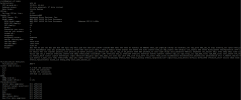
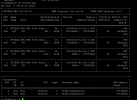
We have a machine with dual AMD EPYC 9655P 96-core processors and four NVIDIA RTX PRO 6000 Blackwell GPUs.
However, for the 3CX AI Server tests, I am running it in a Docker container with Debian 12; the problem might lie there.

***EDIT: The machine only has 1 processor instead of 2.
 

Attachments

  • Captura de tela 2026-08-04 092832.png
    Captura de tela 2026-08-04 092832.png
    84.3 KB · Views: 3
  • Captura de tela 2026-08-04 092838.png
    Captura de tela 2026-08-04 092838.png
    37.7 KB · Views: 3
Last edited:
@HTS Group

The VM's Virtual CPU is missing the required x86-64-v2 instruction set (specifically sse4_1, sse4_2, and popcnt). The cpuinfo output shows a basic/legacy virtual CPU profile.

How to fix it:
  1. If Aruba Cloud panel allows CPU configuration: Log in to the Aruba Cloud dashboard, edit the VM hardware configuration, and change the CPU Type / Model from the legacy/default model to host (or Host Passthrough), then reboot the VM.
  2. If Aruba Cloud doesn't allow changing CPU type: then it is not possible with the current 3CX vertsionl. But just to let you know, in the next update, we are removing this dependency, so if you cannot change CPU type, then wait for 3CX V20 Update 10 BETA coming soon...
 
  • Like
Reactions: KyriacosS_3CX
We have a machine with dual AMD EPYC 9655P 96-core processors and four NVIDIA RTX PRO 6000 Blackwell GPUs.
However, for the 3CX AI Server tests, I am running it in a Docker container with Debian 12; the problem might lie there.

***EDIT: The machine only has 1 processor instead of 2.

@lucazevedo pls do not run in docker for now. take it out of the docker env and run on standard machine.
 
  • Like
Reactions: KyriacosS_3CX
migrated to GCP, restored, and now all is ok...
 
@HTS Group

The VM's Virtual CPU is missing the required x86-64-v2 instruction set (specifically sse4_1, sse4_2, and popcnt). The cpuinfo output shows a basic/legacy virtual CPU profile.

How to fix it:
  1. If Aruba Cloud panel allows CPU configuration: Log in to the Aruba Cloud dashboard, edit the VM hardware configuration, and change the CPU Type / Model from the legacy/default model to host (or Host Passthrough), then reboot the VM.
  2. If Aruba Cloud doesn't allow changing CPU type: then it is not possible with the current 3CX vertsionl. But just to let you know, in the next update, we are removing this dependency, so if you cannot change CPU type, then wait for 3CX V20 Update 10 BETA coming soon...
tnx a lot...now migrated to gcp
 

Forum statistics

Threads
111,768
Messages
588,883
Members
164,549
Latest member
Gastón Gutiérrez