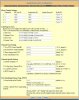
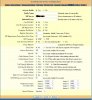
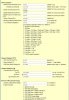
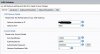
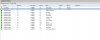
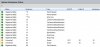
Can you provide capture of the FXO line page so we can see how the device is configured? Also, in 3CX, how many simultaneous calls are allowed per trunk/port? There has been quite a bit of discussion concerning the latter part as it seems intuitive and logical that the device being an interface to a PSTN line would be a one to one relationship and therefore the calls should be set to one.
However, I have found that setting it to one is limiting and that the number should be set to however many PSTN lines there are. I have several of these out there, the last a 4108 installed last week with 6 lines and all 6 are able to process calls.
If you want to check that the line is connected to a specific port, and assuming that you have not changed the default settings of the 4104 (Channels Tab, Port Scheduling Schema, Item 2), then dial a number that you know and can observe the caller-id. Dial the string by inserting 99XNNNNNNNN where 99 is telling the 4104 the command to use a port, X is the port you specifically want and N is the number of interest to dial. You may need to modify your outbound rules to allow. Ideally, you should also be able to watch the port/trunk status page in 3CX at the same time.
I think you will see that the 4104 processes the command correctly and the caller ID will show that the line used is indeed the one PSTN selected, but what the 3CX status will show is something entirely different. It may use 10001, 10003 or whatever port it wants.
I do not know the logic by which 3CX determines what trunk to use and for the sake of argument assume it to be a round robin (RR) scheme by which it is constantly monitoring the trunks and when a call is being made outbound will automatically use the port it most recently polled and, if available, will use it rather than trying to determine a sequential order. Conversely, the 4104 is also doing the same with the PSTN ports if its logic is set to RR. This means that 3CX trunks may never match what might otherwise be an expected 1:1 relationship. Many think of the strategy as being similar to a hunt group, and in some cases it may be depending upon how the manufacturer designed the code. A Hunt to me usually means that depending on the state of a line, will look up and down based upon a stack of lines/numbers. If the first number in a stack- only down, if the last - only up. Middle numbers may be up and/or down. A RR is more akin to a clock in that the direction is always the same and whatever it first sees that is available is what it will grab.
The issue is the simultaneous calls and how it just seems so logical to make it one/line. No one seems to really have a grasp as to what this really means or how intrepreted behind the scenes and I suppose it possible that the screen is a generic screen that might be used for many different gateways just like the phone provisiong screen is the same for all the various flavors that can be used.
Try setting each line to 4 calls and then test and see what happens and don't get caught up in the screens and the order of which trunk might be used. In fact, it would not surprise me to see the same 3CX trunk showing more than once. Get 4 people to call an outside number where the call can be held open such that all four PSTN line are in use. Then reverse and have the four use their cell phones to call inbound (holkd the lines open) and see if again the calls make their way through. I do not know how the PSTN lines are configured from the carrier. If all are standalone with no carrier processing, then each number will need to be dialed. If you have hunt or busy-call forward or roll over, then you need to adjust accordingly as to how they are configured. My take is that given the GXW call routing capability, that when I set the number to 4 (as I would in your case) on each trunk, that I am telling this particular 3CX trunk, that it can use any one of the 4 lines that are active at the 4104.
Once you have confirmed that all inbound and all outbound are working, you can try your combinations of in and out simulataneously.
Of course, if you are really wanting a 1:1, there is a way to do, but this depends on the FXO line page set-up.
Try my suggestion and see how it works. Again, while it all may seem illogical, that is, in my opinion, based upon the max call/line question in the 3CX screeen. My assumption has always been that regardless of what it purports or seems to be, the settings i have used seem to work (for me) and I rely on the GXW to process the calls up to its maximum line input capability as where else will they go