3CX App only connects on wifi

Status
Not open for further replies.

ericklil

Free User
Joined
Apr 14, 2019
Messages
4
Reaction score
0
Out of the blue our 3CX app on both Android and iOS devices stopped connecting to the 3CX server. Calls can be made from the local LAN to these phones ( on 3G) Call is received but cannot be answered. Additionally the App on the phones does not connect ( register) "Waiting for Network". When connecting one of these phones via a VPN ( based in another country) the App registers and connects.....I checked with my ISP as well as Mobile provider, and they are not restricting any ports......I'd be grateful for input from anyone with ideas on how to solve this.....
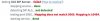
 
Does the 3Cx Firewall Checker all pass successfully? It sounds as if a necessary port is being blocked at the server end. Have you tried, with, and without, using the tunnel? Do you have other, "remote" sets, that continue to work?
 
None of the remote sets are working. Firewall shows an error but has shown this error for several months, without issues....
Not sure how to stop using Tunnel.

  • 12509
 
So what changed, about the time this stopped working? New network hardware...upgrade/ firmware? Something must have changed the way the port forwarding/ firewall is set-up.
 
Ok we had a network outage ( Called (DIA) Direct Internet Access, connected with a line of sight small dish to a mobile operator), Company called Digicel in the Caribbean Islands. After their fix with had something to do with "maintenance of their nodes in terms of failover redundancy " our 3CX system has failed. I spoke to technicians there and they swear that nothing else was changed. What baffles me is that when using the same provider but through a VPN I can connect...
 
Well...something obviously did change, whether they are aware of it or not, or just don't want to admit that they don't know. Using VPN means that you are essentially on the same local network, so I would not expect that there would be any port forwarding, or firewalls involved. Assuming that nothing was changed in your hardware at the 3Cx server end then it sounds as if you need to involve your provider with the failures you are seeing in the Firewall Checker.
 
Well...something obviously did change, whether they are aware of it or not, or just don't want to admit that they don't know. Using VPN means that you are essentially on the same local network, so I would not expect that there would be any port forwarding, or firewalls involved. Assuming that nothing was changed in your hardware at the 3Cx server end then it sounds as if you need to involve your provider with the failures you are seeing in the Firewall Checker.
I agree and will hound them... However when I use the VPN from the same phone I am still going through the same 3G network... as soon as I switch that VPN connection off on the phone ( still on 3G) the connection to 3CX drops...
 
However when I use the VPN from the same phone I am still going through the same 3G network... as soon as I switch that VPN connection off on the phone ( still on 3G) the connection to 3CX drops...
Which is the expected behaviour. When using VPN, the IP on your phone should be a private IP as assigned by your router, so I would not expect it to have to pass through a firewall, or require port forwarding. When you switch off VPN, the phone then has to acquire a new, public IP from your mobile provider and attempt to register from outside the network. Now it has to pass through whatever firewall is present, and manoeuvre through any port forwarding, that is setup on your network for "external" devices.
 
Status
Not open for further replies.

Forum statistics

Threads
111,934
Messages
589,818
Members
164,810
Latest member
astrobalaji