3CX Configuration problem on Grandstream GXW4104 FXO

Status
Not open for further replies.

Mughrabi

Free User
Joined
May 15, 2019
Messages
20
Reaction score
0
Hello,

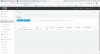
Im trying to connect my GS Voip Gateway to 3CX, I followed every step in the below link, but still it shows red after saving,

https://www.3cx.com/voip-gateways/grandstream-fxo/

I would appreciate to give any hint on what to check and troubleshoot.
 

Attachments

  • 3CX.png
    3CX.png
    92 KB · Views: 28
Power down, then power up the gateway, then check the 3CX Activity Log. There should be a registration attempt by the gateway. The logs should give a clue about what may be missing or misconfigured. That would be the best place to start.
 
did you refresh trunk screen in MC?
 
Power down, then power up the gateway, then check the 3CX Activity Log. There should be a registration attempt by the gateway. The logs should give a clue about what may be missing or misconfigured. That would be the best place to start.
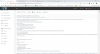
Actually I did reboot the device (Since I don't have physical access to it currently) but nothing showed up on the Activity log, below is a screenshot of the activity log right after reboot, it shows nothing relevant to registration ( just few hacking attempts from a guy from Ukraine IP 141.138.116.189)
 

Attachments

  • ActivityLog.png
    ActivityLog.png
    134.9 KB · Views: 23
did you refresh trunk screen in MC?
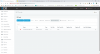
if you mean "Refresh Registration" as per attachment, I did it but nothing happened ,
 

Attachments

  • RefReg.png
    RefReg.png
    92.9 KB · Views: 8
Actually I did reboot the device (Since I don't have physical access to it currently) but nothing showed up on the Activity log,

Then the gateway is either not set to register with the correct FQDN / IP, cannot resolve the FQDN (DNS issue), or is being blocked (blacklisted?) at the 3CX end. you might want to use Wireshark, or if available, any logging, within the gateway, to help troubleshoot.
 
When you look at the configuration in the gateway does it show the settings for your 3CX PBX? Perhaps the provisioning didn't work. I would re-follow those steps in the 3CX setup instructions for the device.

The gateway and the pbx are both on the same local subnet right? This device (and most) won't work without either being local or via vpn.
 
Then the gateway is either not set to register with the correct FQDN / IP, cannot resolve the FQDN (DNS issue), or is being blocked (blacklisted?) at the 3CX end. you might want to use Wireshark, or if available, any logging, within the gateway, to help troubleshoot.

Thank you for the prompt reply, I used Wireshark and got the following captured (3CX server IP: 185.137.246.52, GS FXO Gateway IP: 185.137.246.51)

3174 74.882732 185.137.246.51 185.137.246.52 TCP 60 4097 → 5000 [SYN] Seq=0 Win=8192 Len=0 MSS=1452

3175 74.882797 185.137.246.52 185.137.246.51 TCP 58 5000 → 4097 [SYN, ACK] Seq=0 Ack=1 Win=65340 Len=0 MSS=1460

3177 74.885051 185.137.246.52 185.137.246.51 HTTP 359 HTTP/1.1 403 Forbidden (text/html)

3178 74.885074 185.137.246.52 185.137.246.51 TCP 54 5000 → 4097 [FIN, ACK] Seq=306 Ack=169 Win=65172 Len=0

3285 77.104801 185.137.246.51 185.137.246.52 TCP 60 [TCP Retransmission] 4097 → 5000 [FIN, ACK] Seq=169 Ack=307 Win=8191 Len=0

3287 77.107009 185.137.246.51 185.137.246.52 TCP 60 [TCP Dup ACK 3180#1] 4097 → 5000 [ACK] Seq=170 Ack=307 Win=8191 Len=0

------------------------------------------------------------------------------------------------------------------------------------

It seems 3CX is getting HTTP 403 error from gateway, does that ring any bell?

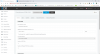
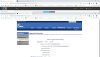
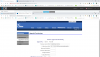
3CX and gateway configuration attached :

Im not using FQDN but using the IP, also I replaced the FQDN with IP in the provisioning link
 

Attachments

  • 3CXConf.png
    3CXConf.png
    112.5 KB · Views: 24
  • GSConf.png
    GSConf.png
    160 KB · Views: 25
When you look at the configuration in the gateway does it show the settings for your 3CX PBX? Perhaps the provisioning didn't work. I would re-follow those steps in the 3CX setup instructions for the device.

The gateway and the pbx are both on the same local subnet right? This device (and most) won't work without either being local or via vpn.

Actually yes the gateway shows the provisioning, the only thing is that I replaced the FQDN with IP in the provisioning link,

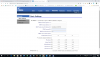
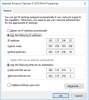
Both are on same subnet but both are on public IP's, should that be an issue ? Attached gateway configuration along with network configuration on both gateway and 3CX server
 

Attachments

  • GSConf.png
    GSConf.png
    160 KB · Views: 26
  • GSNetwork.png
    GSNetwork.png
    201 KB · Views: 25
  • 3CXNetwork.png
    3CXNetwork.png
    80.7 KB · Views: 24
The wireshark log you posted doesn't have anything showing a message using port 5060 / 5061, etc, which i would expect to see during registration. Do you have that/those ports datafilled in the gateway?

Could it possible be something to do with your network settings? I notice you are not using the somewhat expected subnet of 255.255.255.0
 
Hello,

Problem solved, Actually the provisioning link wasnt working as per the wireshark log above :

3177 74.885051 185.137.246.52 185.137.246.51 HTTP 359 HTTP/1.1 403 Forbidden (text/html)

Also attachment shows it doesn't work on browser

So I Edited the Nginex log as per below thread and allowed the IP of the gateway, and its green now

https://www.3cx.com/community/threads/provisioning-link-not-accessible-via-http-5000.51212/


Thank you for your help, especially leejor ,highly appreciated.
 

Attachments

  • 3CX403Forbidden.png
    3CX403Forbidden.png
    50.9 KB · Views: 28
Status
Not open for further replies.

Forum statistics

Threads
111,926
Messages
589,764
Members
164,799
Latest member
RicoDinero