3CX Console impossible to log in

Status
Not open for further replies.

AWS2P

Silver Partner
Basic Certified
Joined
Jan 9, 2014
Messages
5,076
Reaction score
1,096
Hi ,
today a new customer came to me with a V16 Debian running pbx on a google cloud instance.
This pbx since last update has lost his ability to let admin user open a console session.

URL on https://domain.3cx.fr reach 3CX web login page, and when you try to use login/ password you get directly a msg saying connection denied, too much incorrect tries (even it's the first time you try).
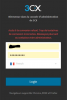
1594413733245.png
This is not a login / password problem , i got an access with SSH and gone to backup folder and got a zipped backup file, opened it and checked console login & password , they are the good ones.

We tried from 3 differents locations and got each time same message directly on the first try.

PBX initial install on Google cloud was done with pbxexpress and same login password was working since 2 years.

I'm not an expert on linux so I dont know what i could do from SSH to help in troubleshouting or fix this problem.

Do you think this is something i can fix without a complete reinstall ?
 
Last edited:
This morning, when refreshing the port 5001 webpage, I get the login page (not refused connection) and I'm able to log in to the management console. So this is somewhat consistent with the previous VM, the behavior seems to correct itself after awhile, but then fails again. When it fails it continues to fail for quite awhile (like hours or days).
 
my instance seems to blacklist everything trying to acess MC
 
I keep coming back to the iptables rules on the vm running 3cx which 3cx installed.

I'm noticing an INPUT rule that accepts traffic originating from 224.0.1.75/32
It looks like the rule is intended to allow packets from the local lan. However, I have no idea where 224.0.1.75/32 subnet is? Shouldn't this be our local 192.168.1.0/32 subnet?

On closer inspection this seems to be an INPUT for outgoing packets with the destination address being 224.

But still there's no INPUT for the local lan as a source for incoming packets.
 
Last edited:
install the open vm tools, and see if there is any change, those are what we use, i should have mentioned that before
 
I keep coming back to the iptables rules on the vm running 3cx which 3cx installed.

I'm noticing an INPUT rule that accepts traffic originating from 224.0.1.75/32
It looks like the rule is intended to allow packets from the local lan. However, I have no idea where 224.0.1.75/32 subnet is? Shouldn't this be our local 192.168.1.0/32 subnet?

On closer inspection this seems to be an INPUT for outgoing packets with the destination address being 224.

But still there's no INPUT for the local lan as a source for incoming packets.

This is absolutely irrelevant to your issues, this is for Multicast and if you alter it in any way you will cause problems! This entry is also not part of the 3CX config, but is default on many linux servers so multicast is able to function correctly.

This is why i sometimes decline to help people when they are asking for help with something they do not have a proper understanding or respect of, you think its wrong, or incorrect, so you tinker with it, change it, delete it, when its unrelated completely to your issue, and only cause a new issue on top of the old one....

The fact you do not understand multicast is exhibited by the complete confusion around the 224.0.0.0 subnet, and this tells me you do not have fundamental networking training/knowledge, which tells me you really need to reach out to someone who does, I am not being mean here, but you really need to yield and find someone to help you who understands this stuff completely. I would offer however i am swamped with work and likely would not be able to help you in any timely manner until days from now due to backlog.
 
Last edited:
  • Like
Reactions: Jackson Smith
install the open vm tools, and see if there is any change, those are what we use, i should have mentioned that before
I installed the open vmtools late yesterday and it had no effect on the issue - I had been holding off installing them on this go-around as it was another variable that was mentioned.
install the open vm tools, and see if there is any change, those are what we use, i should have mentioned that before
Whatever Brettt - it was late in the evening and I misread the rule. I corrected it in the bottom of my message. But thank you for your arrogant reply.
 
  • Sad
Reactions: Jackson Smith
If you saw that as an arrogant reply then there is no hope and no reason for me to respond further.
 
  • Like
Reactions: Jackson Smith
Before this gets too heated guys, let's cool things down a bit and go back to troubleshooting.

@jakorsme judging from the fact that you had trouble accessing 5015 during setup I can say that something is not right in the network -or- on the PC being used during webconfig

What probably is not the cause:

- 3CX ISO: this has worked for countless installations, and it still works now as we speak on
a local ESXi server we have here for testing (always get the latest from our site)

- IP Tables: best leave those as-is when you troubleshoot, they should not cause any issues in their default state when you are on the same lan as the VM

- vmx3net works ok here too, you should not generally have any issues with it

It's quite strange that http://x.x.x.x:5015?v=2 did not work for you, so armed with the knowledge above would it be possible investigate a bit further on the below?

  1. Check the PC you were using to run the web config wizard, ensure it's not doing anything funny network-wise, it should be on the same lan and subnet as the VM just to be on the safe side (no custom routing or VPNs, proxies, VLANs etc if possible please since we are in troubleshooting mode now)
  2. Use Chrome 83 (latest stable) during the setup - this has been confirmed working and may be worth clearing the cache since we are troubleshooting
  3. Ensure the URL protocol is correct (sounds silly, but hey it happens sometimes). it is HTTP only during setup, there is no SSL at that stage
  4. Ignore the the fact that the other VMs work fine, just for the sake of troubleshooting so it does not throw you off course
  5. The VM itself: provided you gave it enough resources on the host, it should not be getting pegged at 100% so this is also something to look at. Try running htop in another ssh session to monitor the processes
Finally, you can install VMware Player on a pc and setup the PBX there for testing (choose bridged network adapter). You can have a control sample to test against the main subject vm which is always helpful when things appear to behave in an unexpected manner.

Hopefully this is enough to jump on the trail of whatever was causing the issue - let me know how it goes or if you find anything of interest and I will be glad to assist.
 
As my initial discussion has been hacked by @jakorsme :p :), now my problem is solved with @BrenttG help.

Once I was able to connect to MC , and saw it was set an IP restriction on customer Public IP only (IPV4), but customer don't remember having set this.

The only thing is sure is about having added an allow setting in blacklist for his IPv4 address, but IPV6 is enabled on pbx and router , so may be PBX turn into V6 and never let him access to MC from IPV4 until it ended blacklisted himself ?

@JohnS_3CX Do you think it can be an explaination ?.

So for now , everything is working fine.
 
Not sure, possible to reach the PBX from either non-blocked path
 
So , we have no track for this has happened
 
Before this gets too heated guys, let's cool things down a bit and go back to troubleshooting.

@jakorsme judging from the fact that you had trouble accessing 5015 during setup I can say that something is not right in the network -or- on the PC being used during webconfig

What probably is not the cause:

- 3CX ISO: this has worked for countless installations, and it still works now as we speak on
a local ESXi server we have here for testing (always get the latest from our site)

- IP Tables: best leave those as-is when you troubleshoot, they should not cause any issues in their default state when you are on the same lan as the VM

- vmx3net works ok here too, you should not generally have any issues with it

It's quite strange that http://x.x.x.x:5015?v=2 did not work for you, so armed with the knowledge above would it be possible investigate a bit further on the below?

  1. Check the PC you were using to run the web config wizard, ensure it's not doing anything funny network-wise, it should be on the same lan and subnet as the VM just to be on the safe side (no custom routing or VPNs, proxies, VLANs etc if possible please since we are in troubleshooting mode now)
  2. Use Chrome 83 (latest stable) during the setup - this has been confirmed working and may be worth clearing the cache since we are troubleshooting
  3. Ensure the URL protocol is correct (sounds silly, but hey it happens sometimes). it is HTTP only during setup, there is no SSL at that stage
  4. Ignore the the fact that the other VMs work fine, just for the sake of troubleshooting so it does not throw you off course
  5. The VM itself: provided you gave it enough resources on the host, it should not be getting pegged at 100% so this is also something to look at. Try running htop in another ssh session to monitor the processes
Finally, you can install VMware Player on a pc and setup the PBX there for testing (choose bridged network adapter). You can have a control sample to test against the main subject vm which is always helpful when things appear to behave in an unexpected manner.

Hopefully this is enough to jump on the trail of whatever was causing the issue - let me know how it goes or if you find anything of interest and I will be glad to assist.

Thank you - I couldn't get it to be stable long enough today to accomplish much.

I'm troubled too by the 5015 not working during install. However, shell prompt config did seem to work.

I haven't gotten the 100% cpu since this new install (that switched to e100 - don't think it was connected to change in vnic however).

Here's my thinking for next step, which I believe incorporates a lot of suggestions.

1) New VM from freshly downloaded (from 3CX site) 3CX/Debian ISO - (using default - not e100 - vnic

2) Install from hardwired desktop on lan - not my laptop on lan through wireless. (also using chrome)

3) Pay particular attention to config working from 5015.

4) No install of vmware tools nor restore of 3CX data

5) This is all going on same IP as previous VM (which will be disabled)

6) Try to reproduce the failure I've been experiencing.

7) If I can't reproduce failure: Install vmware tools and try to reproduce.

8) If can't reproduce, restore 3CX backup and try to reproduce.
 
The reason i suggested a different IP was because i started to suspect you might have something else on the network that intermittently was poping up in ARP with the same ip, and on second review, this could cause a great number of the symptoms you were seeing.

It causes a situation you could sort of call arp shuffle, there is a better term but i cannot remember, but essentially anytime the conditions meet, your requests would randomly go to the wrong device on the network and thus result in messages in the browser such as connection refused, and at random you would be working, and then suddenly not again, without any rhyme or reason seemingly.

A tell tale sign this is occuring is if you keep repeatedly checking the arp list using ARP -A on the windows PC, you would see the mac address for the PBX's IP changing at random. Its not common, but i have run into it numerous times, usually due devices on the network not being well documented, and sometimes user error.

The quickest way to rule it out is pick a new ip at random that is outside of any dhcp scopes and change the problem device to it, if the issue ceases and does not reproduce then its a confirmation.

If the problem PBX is still up and running, this is something you should be easily able to test using that, and wouldnt require a new PBX VM
 
Yeah - ip collisions were one of the things I thought about and looked for (and didn't find a duplicate) at the beginning of all this, as it could certainly cause this kind of random behavior. I did stop short of looking in the arp table however, which is a good suggestion. I was tracking the ip/mac addr today and the mac addr didn't change so far. I'll do some more monitoring of that tomorrow.

I've always tried to use all static and not dhcp, but people always seem to be sticking dhcp servers in stuff, so who knows. But I'd think if that was it I'd be experiencing collisions all over the place on the lan.
But I'll definitely monitor the arp tables more closely tomorrow before doing this.
 
if its a wifi device that is sleeping half the time, or a PC or other device that only wakes up sporadically, there could be your intermittency.
 
I think the mac address on that ip just changed. At least from what I wrote down earlier today.
Can't find the culprit though - checked ips on TVs and printer and checked inside some VMs with no luck yet.
But I'm going to at least verify it's changing tomorrow, as this is definitely consistent with symptoms.
So, if it is changing, I could at least assign an IP I think has less chance of existing.
 
Status
Not open for further replies.

Forum statistics

Threads
111,954
Messages
589,923
Members
164,852
Latest member
priya