Our colleagues in UK are having an issue where they can't see their contacts when connected to our WiFi network.
But, when in LAN, they were able to use the app with no issues.
The 3CX PBX host sits on an isolated local network (LAN) at UK that uses a subnet (class B) of 172.16.3.x and has its own ISP and internet connection (Gamma ISP).
The Windows 3CX Client is a local install that operates as a soft phone.
The client gains its configuration from the PBX via an initial config file which includes configuration for local and remote clients, the software will attempt to connect with the PBX locally before connecting via the remote IP. This is an efficiency gaining function, however, all clients on the network are remote clients from the 3CX PBX perspective and so the local connection configuration is redundant (not used).
Remote 3CX Clients connect to the PBX via the IP address <PUBLIC_IP> which is mapped to a subdomain “<SUBDOMAIN>.3cx.co.uk”
All clients not on the same network are able to function correctly as expected.
I agree with the assessment of @Saqqara .
If they can make calls while on the same LAN, but not the contacts/presence information, the communication over ports 5090 and 5060 is not the problem. The problem would be the communication from the 3CX App to the server on the HTTP/S port you set during the installation of the 3CX Server.
The default port for this traffic is 5000 and 5001, unless of course you set something else during the installation.
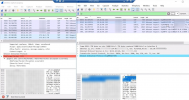
I'd suggest, exit the client completely, start wireshark, open the client and see which IPs the client attempt to contact on the HTTP/S ports. Traffic will be TCP.
This may help you see if there is a routing problem for these ports, or at least point you in the right direction.