3cx don't work, only silence!

JochenH

Customer
Joined
Oct 14, 2022
Messages
7
Reaction score
0
I'm really at my wits' end. I've switched from our 3CX Pro to 3CX AI and want to use AI for the front desk.
I’ve been reading through this forum and the documentation for hours, but I can’t find a solution! When I call the reception desk, I just get silence.
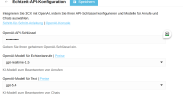
OpenAI is configured, I have credit (100€), and everything is set up according to the documentation, but it’s not working.
I hope someone here can help me out—thank you very much.


3XC Version: Version 20.0 Update 9 (Build 995 Release - AI 1.4.48)
1793355959838.png
Ist hier alles richtig?
 
Last edited:

Hello,

First, normal calls work OK? Second, how is the front desk AI configured, and how are you calling it?
 
I would reach out to a partner in your area who can look into this with you. By the way, there is also a German-language forum...
 
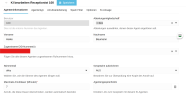
I'm starting to think the AI isn't even enabled on my end???

Can't find any entries in any of the logs?

And I don't have that toggle.


1793360720461.png
 
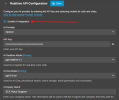
I would check in OpenAI that you havent been restrictive in the models you use and that you're using the correct API key associated with the project (if you've used projects).
 
And I don't have that toggle.
That is part of the U10 user interface, u9 does not have/use it.

If the system is not busy, could you
a) go to System > Licence and hit the refresh icon. Test again after this, might need a few minutes.
b) if still there is nothing, go to Services from the dashboard and restart them - to make sure every component is clean and up to speed with the licence and other changes.
 
I would check in OpenAI that you havent been restrictive in the models you use and that you're using the correct API key associated with the project (if you've used projects).
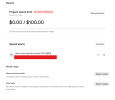
I have allowed all models and no limits defined.

1793363986603.png
 
@JochenH since your machine is On Premise on your side, have you ensured that there is no specific outbound
or inbound filtering at your Firewall ?
Check here :

https://www.3cx.com/docs/ai-agent-configuration-openai/


Technical notes​

  • Audio codec: PCMU
  • If your OpenAI account restricts model access, allow gpt-realtime-whisper and the models selected for Realtime and Text in the Realtime API settings.
  • Ensure the 3CX Firewall Checker passes successfully.
  • Allow outbound traffic on:
  • TCP 443 – used for OpenAI Realtime API signaling and session setup.
  • UDP 3478 – used for the WebRTC media connection.
  • 3CX establishes the OpenAI Realtime connection in three stages:
  • Creates a realtime client secret through https://api.openai.com/v1/realtime/client_secrets.
  • Creates the realtime call or session through https://api.openai.com/v1/realtime/calls.
  • Establishes the WebRTC media connection using the SDP exchanged during session setup.
 
  • Like
Reactions: KyriacosS_3CX
That is part of the U10 user interface, u9 does not have/use it.

If the system is not busy, could you
a) go to System > Licence and hit the refresh icon. Test again after this, might need a few minutes.
b) if still there is nothing, go to Services from the dashboard and restart them - to make sure every component is clean and up to speed with the licence and other changes.
Unfortunately, nothing has changed.
I call the AI reception desk; the call is answered, and then there's just silence...
 

Forum statistics

Threads
112,375
Messages
592,179
Members
165,550
Latest member
Urs_S4A