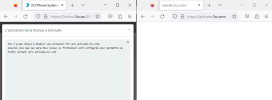
3CX failed to establish a TCP connection to activate.3cx.com

Status
Not open for further replies.

mickeyr61

Free User
Joined
Sep 17, 2019
Messages
23
Reaction score
5
I have migrated to new hardware. Installed 3CX on debian 10. Activating the license now give the above error. Port 443 is open. A NSLOOKUP to active.3cx.com gives this results,

Non-authoritative answer:
Name: activate.3cx.com
Address: 104.18.15.54
Name: activate.3cx.com
Address: 104.18.14.54
Name: activate.3cx.com
Address: 2606:4700::6812:e36
Name: activate.3cx.com
Address: 2606:4700::6812:f36

I am stuck

3CX Version 18.0.3.450
 
Last edited:
Update 3 is too old to connect…install from an 18u6 iso and restore your backup there.
 
Hello @mickeyr61 ,
What @SteveITS is suggesting is most likely correct as the system needs to be at least on version 18 update 5 in order to reach our activation servers.
However, as we cannot check your system's details in the forums, please send us an email at [email protected] with your license key and we will be able to further advise you.
 
Hello, i'm facing the same issue here since november last year, i've update my server on the version 18.0 Update 5(Build 481) from 18.0 Update 4. Firewall check is GREEN and we can reach activate.3cx.com, a blank page is displayed on the browser. Can someone list a work around to this issue? Each time support via our partner is saying to check 443 where its already opened, filtered and working. Thanks.
 
Usually "filtered" on a port test means the port is not open...? To be clear this would be an outbound connection from your 3CX server to the Internet.

Is DNS working on the 3CX server?
 
Yes, DNS is working fine, i can resolve the IP address as well. The IPBX server is behind a Fortinet firewall. I can receive calls too and the system is working fine, i just need to restart it after each 12H for the report to work and the activation shows active but when click, it say;
3CX failed to establish a TCP connection to activate.3cx.com.
Ensure that the local or border firewalls are configured to allow outbound traffic to activate.3cx.com
 
Result from an nslookup;

Default Server: dns.google
Address: 8.8.8.8

> activate.3cx.com
Server: dns.google
Address: 8.8.8.8

Non-authoritative answer:
Name: activate.3cx.com
Addresses: 2606:4700::6812:f36
2606:4700::6812:e36
104.18.14.54
104.18.15.54
 
ping activate.3cx.com

Pinging activate.3cx.com [104.18.15.54] with 32 bytes of data:
Reply from 104.18.15.54: bytes=32 time=1ms TTL=60

Ping statistics for 104.18.15.54:
Packets: Sent = 4, Received = 4, Lost = 0 (0% loss),
Approximate round trip times in milli-seconds:
Minimum = 1ms, Maximum = 1ms, Average = 1ms
 
Hello Support team, can you please update of this request?
 
@tech_hocl
Have you tried disabling any filtering on your Fortinet temporarily and testing?
 
Yes, firewall policy was turned off, but still the same issue occurs. attached some screenshots of wireshark capture while accessing activate.3cx.com via browser and via the management console. On a separate note, the system was working flawlessly and issues came just after the update from version 18 update 4 to Update 5. On the portal, its listed that i'm still on update 4 but i've already migrated to update 5 on the 3cx on premise.
 

Attachments

  • accessing activate.3cx.com via management console_1.png
    accessing activate.3cx.com via management console_1.png
    32.7 KB · Views: 9
  • accessing activate.3cx.com via management console.png
    accessing activate.3cx.com via management console.png
    50.4 KB · Views: 10
  • accessing activate.3cx.com via browser_1.png
    accessing activate.3cx.com via browser_1.png
    13.5 KB · Views: 9
  • accessing activate.3cx.com via browser.png
    accessing activate.3cx.com via browser.png
    42.2 KB · Views: 10
  • 3cx_customer portal.png
    3cx_customer portal.png
    7 KB · Views: 10
  • 3cx_server.png
    3cx_server.png
    5.6 KB · Views: 10
Yes, firewall policy was turned off, but still the same issue occurs. attached some screenshots of wireshark capture while accessing activate.3cx.com via browser and via the management console. On a separate note, the system was working flawlessly and issues came just after the update from version 18 update 4 to Update 5. On the portal, its listed that i'm still on update 4 but i've already migrated to update 5 on the 3cx on premise.
Are you doing any sort of SSL/Deep packet inspection (maybe listed as SSL bumping in some system)?
 
Unfortunately no. Nothing has been changed within our IT infrastructure.
 
If I browse to http://activate.3cx.com/ I (after a minute or so) get a CloudFlare message saying it couldn't connect with 3CX.com. I suspect that is because it isn't supposed to be browseable, but I do get a message. https://activate.3cx.com/ shows the blank page you show, but also note that is not a timeout it is a blank page being returned by the web server.

I would wonder if a new install on 18u7 and restoring from backup would activate. It would at least get you current.

I would think the portal is going to show the old version until the new version checks in.

Is this a perpetual license? Your screenshot showed "maintenance expiry"...
 
Hello, I tried this method; new install on 18u7 and restoring from backup but it does not activate but in vain, the activation does not work.
Yes it is a professional perpetual license.
 
I've got the following info from the activation system:
the last successful activation was at 2022-10-21 (from Update 4).

There were 2 key checks coming from Update 7 on 2023-04-10 (6:24 and 6:34 UTC).
After that there was a key check on 2023-04-10 7:47 UTC coming from Update 3.
And no activation attempts whatsoever.

How can you explain these sequence Update 4 - Update 7 - Update 3? Are you sure no one else is using the license?
 
That's great if you have that information and all those are right. I tried to reinstall 3CX Update 7 on 2023-04-10, since it didn't work, i tried with and older version (2023-04-10 7:47 UTC Update 3) to activate, but didn't work too.

Thus, I power on the old server and I'm still using the one from 2022-10-21 and its listed as Update 5 Build 418.

I'm sure no one is using the license.
 

Attachments

  • 3cx_server.png
    3cx_server.png
    5.6 KB · Views: 8
Status
Not open for further replies.

Forum statistics

Threads
111,974
Messages
590,081
Members
164,899
Latest member
mazet