3CX FTP Backup Error: "Action not taken"

oneam

Customer
Basic Certified
Joined
Oct 7, 2024
Messages
16
Reaction score
4
Hi,

i've configured automatic 3CX backup over FTP space, but I receive the following error:

Code: 550 Message: Action not taken:

What does it mean and what could it be related to?
 
Hi,

If you do the FTP backup manually, does that go through?
 
Yes, when we launch the backup from the backup page we do not receive any errors and the backup completes successfully.
 
Can you try creating a schedule that will execute shortly and running a packet capture to see what is going on?
 
We host the 3cx on a private cloud, can we launch the packet capture directly from the 3cx vm? If you send me the command I can launch it.
 
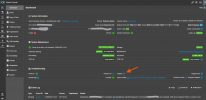
You can start it from within the dashboard:

1755769910586.png
 
Hi,

I've privately sent you the capture. Thanks!

Andrea
 
Hi,

The PBX is sending the correct commands. The Backup is copied over as a .tmp file but it cannot be renamed to .zip. This would indicate your FTP user has Write but no Execute permissions in the destination folder.
 
Hi,

how the manual backup works and completes without any errors?
 
Without 100% certainty, the manual simply overwrites the existing file, not keeping history that requires renaming files.
 
Ok, it makes sense.
We were using MinIO FTP implementation and it does not support FTP rename operation. We switched to sharepoint storage.

Thanks for your support.
 
  • Like
Reactions: KyriacosS_3CX

Forum statistics

Threads
111,956
Messages
589,927
Members
164,858
Latest member
MichaelRussell3