- Joined
- Apr 2, 2008
- Messages
- 74
- Reaction score
- 0
Hi all
We just have configured the 3CX Gatewateway for Skype as it is explained in the intstallation and administration guide, 3CX Gateway console seems to conect fine to Skype ( account reflecte the skype credit fine) and to PBX (Extensions are green if they are connected to PBX also).
We have created an outboud rule for an extension so it will be redirected to the Skype PSTN Gateway we just created, however when we try to perform a call from the 3CX VoIP phone of the extension ... we get the error "Not available".
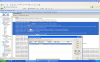
This is what we find in the log file (see picture)
¿Any ideas about what could be wrong?
Thanks a lot
We just have configured the 3CX Gatewateway for Skype as it is explained in the intstallation and administration guide, 3CX Gateway console seems to conect fine to Skype ( account reflecte the skype credit fine) and to PBX (Extensions are green if they are connected to PBX also).
We have created an outboud rule for an extension so it will be redirected to the Skype PSTN Gateway we just created, however when we try to perform a call from the 3CX VoIP phone of the extension ... we get the error "Not available".
This is what we find in the log file (see picture)
¿Any ideas about what could be wrong?
Thanks a lot