Solved 3CX HA Active/Passive su debian 10

Status
Not open for further replies.

Riccardo M.

Silver Partner
Basic Certified
Joined
May 21, 2020
Messages
42
Reaction score
7
Hello everyone,

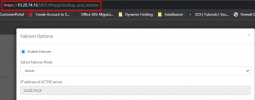
I need your help about the configuration/HA operation. I've set 2 server linux with 3CX v18 (ENT. license) in HA Active/Passive but I've a issue, The situation is that:

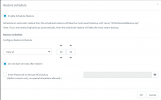
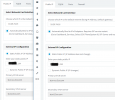
Backup Active - restore Passive
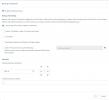
1643905077630.png 1643905098896.png

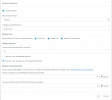
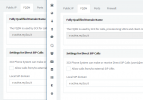
Failover Active - Failover Passive (I dont' know how set the scripts)
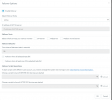
1643904999851.png 1643905028222.png
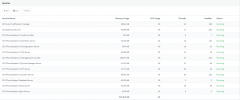
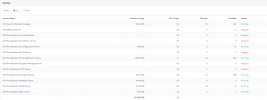
Service Active - Service Passive
1643905204916.png 1643905180260.png

I tried to put the active in down but the passive remains in the same state, the services which result stopped not change their status. I've also checked and that services in stopped can be start manually with:

$: systemctl start 3CXGatewayService

Someone can help me to know where I've wrong? and which scripts I've to use in Failover Script Operations?
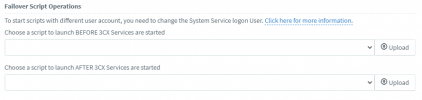
1643907158924.png

thanks a lot and have a nice day
 

Attachments

  • 1643904974044.png
    1643904974044.png
    49.9 KB · Views: 18
Last edited:
So noone can tell you what scripts to run. The scripts are to give you an option to perform actions OUTSIDE of 3CX if necessary. For example, if you are using your own FQDN or need to update internal DNS, then you would fire off a script to do so when it fails over. Scripts are optional, not required.
 
So noone can tell you what scripts to run. The scripts are to give you an option to perform actions OUTSIDE of 3CX if necessary. For example, if you are using your own FQDN or need to update internal DNS, then you would fire off a script to do so when it fails over. Scripts are optional, not required.
Hi

ok perfect thanks.
Instead for the passive and its own services, when the active is down I've to active that manually on passive or is not necessary but I wrong something on its configuration? Because all tasks are that suggested here Failover I did that but the passive continue to stay in the same status.
 
Hi

ok perfect thanks.
Instead for the passive and its own services, when the active is down I've to active that manually on passive or is not necessary but I wrong something on its configuration? Because all tasks are that suggested here Failover I did that but the passive continue to stay in the same status.
No, the Passive server services should start automatically when it detects that the Active server is down.
  • How did you simulate the Active Server going down?
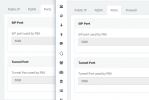
  • Have you installed the Active and Passive Server using the same SIP, Tunnel and HTTP/S ports?
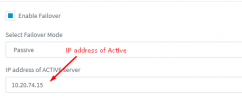
  • Judging from the IP you have put in the Failover settings, I assume that both Active/Passive servers are on the same LAN right?
 
No, the Passive server services should start automatically when it detects that the Active server is down.
  • How did you simulate the Active Server going down?
  • Have you installed the Active and Passive Server using the same SIP, Tunnel and HTTP/S ports?
  • Judging from the IP you have put in the Failover settings, I assume that both Active/Passive servers are on the same LAN right?
  • How did you simulate the Active Server going down?
    • They're 2 virtual appliance, I've turned off the active server from VMWare.
  • Have you installed the Active and Passive Server using the same SIP, Tunnel and HTTP/S ports?
    • yes, I've it. They have the same configuration
1643983687482.png 1643983712769.png

1643983748628.png
  • Judging from the IP you have put in the Failover settings, I assume that both Active/Passive servers are on the same LAN right?
    • Yes they're on the same LAN
1643983895831.png
 
I did a test.
I've changing that on passive and turning off the Active
1643989640233.png
in this way the passive is switched in active:

1643989732432.png

but turned on the Active, the passive not return in stand-by automatically ????
 
Last edited:
but, turned on the Active the passive not return in stand-by automatically ????
Yes, this is the intended way. Once a Failover occurs, the fall back needs to be manual.
If both servers though are the same kind of specs, you could just simply leave the "new" Active server as is, and when the "old" Active gets fixed, you can make that one the Passive server.
 
ok thanks a lot for your support and availability, now that is clearer.
Now I'm seeing how works the script to change the internal FQDN on my DNS (windows 2019), in case I'll open a new post :) if I'll have issue!!!!!!
Have a nice weekend !!!!!!!
 
  • Like
Reactions: NickD_3CX
Status
Not open for further replies.

Forum statistics

Threads
111,974
Messages
590,081
Members
164,899
Latest member
mazet