


- Joined
- Sep 28, 2020
- Messages
- 102
- Reaction score
- 6
Dear all,
Kindly assist on how to import bulk extension list to 3cx as every time we tried we get the Error Message '' Wrong CSV file, required columns are not found: Number''.
Every time i tried to import I get this error message
Can someone help, maybe I'm doing something wrong.
I have created a dummy Ext. and export it to put my new extension in the list then erase the old one but non of it work.
Here are the image

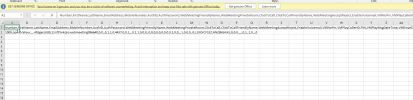


Kindly advice please and most urgently if possible
Thank you
Kindly assist on how to import bulk extension list to 3cx as every time we tried we get the Error Message '' Wrong CSV file, required columns are not found: Number''.
Every time i tried to import I get this error message
Can someone help, maybe I'm doing something wrong.
I have created a dummy Ext. and export it to put my new extension in the list then erase the old one but non of it work.
Here are the image
Kindly advice please and most urgently if possible
Thank you


