- Joined
- Jul 14, 2009
- Messages
- 237
- Reaction score
- 37
Good Afternoon Colleagues
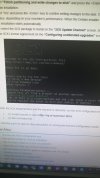
I hope you are doing good and safe . One of my customers trying to install 3CX under Linux . I sent to him the latest 3CX software version . The attached screenshot which ask him to use web browser or command line didn't appear to him during the setup.
Once setup done , He tries to login to management console using ports 5000 (https) or 5001 (https) or even 5015 (http) but failed.
The ping to server is successful.
Do you have any idea how we can solve this issue?
Best Regards
I hope you are doing good and safe . One of my customers trying to install 3CX under Linux . I sent to him the latest 3CX software version . The attached screenshot which ask him to use web browser or command line didn't appear to him during the setup.
Once setup done , He tries to login to management console using ports 5000 (https) or 5001 (https) or even 5015 (http) but failed.
The ping to server is successful.
Do you have any idea how we can solve this issue?
Best Regards