3cx instance down again on Lightsail, they changed the IP address.

Status
Not open for further replies.

drewt

Bronze Partner
Advanced Certified
Joined
Jul 18, 2011
Messages
129
Reaction score
27
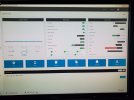
V18 18.0.2.307 Froze up on 11/11/21 and would not reboot in lightsail control panel, I then ran pbxexpress and go new instance up on newest version. Now, I can reboot the instance in the lightsail control panel, but the option to connect using a browser based SSH session is disabled, and the public IP on the lightsail instance has changed to a different IP address. I can not open the instance using the ip address. I have 20 instances and have been assured that my acct is cleared for 20 statics ip's. Does anyone have similar experience at lightsail?

Thanks,
Drew
 
Now the instance came backup for web access, with the correct ip address showing in the 3cx control panel, but with a red box in the ipv box, that says "ip address mismatch". The lightsail control panel for the instance is still showing the incorrect ip address. WTF!
3cxlawoffice1.jpg
 
Last edited by a moderator:
The Browser based connect using SSH is still greyed out, shows me messasge:

"To enable the browser SSH client, edit the SSH rule in your instance's IPv4 firewall to allow the Lightsail browser SSH"

SBC's have not reconnected yet.
 
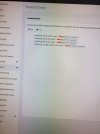
Running firewall checker gets only:

Sip Trunk shows connected to vitelity but will not pass traffic, calls failover to backup number in vitelity control panel.20211210_122654.jpg
 
Last edited:
I rebooted 3cx using terminal in 3cx control panel and now the firewall check passes, and the "ip address mismatch" label is gone in the ipv box, but calls to the instance fail with "chan unavailable" and the sbc's have not reconnected. Lightsail control panel continues to show incorrect ip address, yet I am able to access web gui, and 3cx control panel shows correct ip address.
 
Make sure the IP in Lightsail is set as static, otherwise it changes everytime the instance reboots.
 
I found my statics ip address service quota dashboard in lightsail, and despite my exchange with them on Nov 16th that my static ip's limit was 20, I can see that they set the instances quote upto 20 but left the static ip quota at 5. I have submitted a ticket to lightsail.
 
I see that it under networking in LS control panel/networking you have to attach a static ip. It is not clear how I can use the ip that was assigned during pbxexpress deployment to also be my permanent static ip address.
 
I am noticing that 8 out of 20 instances have static ip's indicated by the little blue push pin next to the ip address in my LS control panel.

In lightsail When you attach a static ip address to a 3cx instance it creates a new ip address, discarding the ip that was assigned during pbx express. Is there any documentation on using pbx express to create a lighstail instance that has a static ip? If I have to change the lightsail ip address can I update it in 3cx webportal so that it aligns with the 3cx fqdn?
 
On lightsail, since V18 Update 2, I had 3 instances down from Eu-west-3 Paris, no explanation, instance impossible to join, impossible to start them, always the same error message displayed with insufficient resources on the AWS platform.
Finally, I needed to take a manual snapshot of the existing instances and create a new one from that snapshot with a higher plan. I detached public IP form old instance and attached to the new one, then I manually recreated all the firewall rules.
I restarted the VM to make sure the firewall rules were applied correctly, then I regained access to the 3CX console and the phone system was working fine.
 
Last edited:
  • Like
Reactions: Evolute IT
When I set light sail instance to static ip it assigns me a new static ip, can I goto 3cx control panel, and just change the ip to dynamic and my 3cx instance will pickup the new ip or do I need to phsically enter the new ip address into the public ip spot?
 
When I set light sail instance to static ip it assigns me a new static ip, can I goto 3cx control panel, and just change the ip to dynamic and my 3cx instance will pickup the new ip or do I need to phsically enter the new ip address into the public ip spot?
Set it to dynamic before changing it in Lightsail. After the reboot with the new IP, it should detect it and set it in the Public IP field. Then, you can set it back to Static on 3CX.
 
In my case after vm reboot, pbx has regain his previous static public IP, of course i did the change in AWS before like I explained in previous post
 
Last edited:
All good,set to dchp on 3cx, assigned static in aws, rebooted 3cx right as I applied static in aws, machines came back up with new ip in about 3-8 minutes. Did need to reconfigure sip trunks as Im using ip authentication.
 
Just want to point out that, IF the PBX instance at hand has a static IP assigned then I recommend actually setting the PBX network settings to static IP and specify it in the appropriate field.

If there is even a slight chance of it changing, then maybe leaving it on dynamic is best.
 
  • Like
Reactions: Evolute IT
Status
Not open for further replies.

Forum statistics

Threads
111,974
Messages
590,083
Members
164,901
Latest member
Silent_Guru