- Joined
- Apr 25, 2023
- Messages
- 7
- Reaction score
- 2
Hello,
I am trying to get CRM integration working with QQCatalyst for a customer, and I am having issues getting authentication to work.
3CX is hosted on a Debian server.
The QQC API requires the ClientID and ClientSecret to be sent as a base64 encoded basic authentication header with the username and password sent in the body with a grant_type of "password" which I was able to authenticate with in Postman.
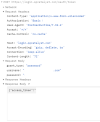
I used the 3CX CRM template builder to make an XML template using OAuth, but I have not been able to figure out how to adjust the template to the necessary format, I get a "Bad Request" response from the CRM. I have tried adding headers to the "Auth" and "OAuthGetRefreshToken" scenarios with the encoded ClientID and ClientSecret and adding post values for the username and password, neither of which changed the response.
I also tried a template with no authentication as noted in This thread but some options shown there do not appear to be available and I am unable to set the token, it seems to be removed when the template is uploaded to the server.
Has anyone been able to get this to work? Any guidance is appreciated.
I am trying to get CRM integration working with QQCatalyst for a customer, and I am having issues getting authentication to work.
3CX is hosted on a Debian server.
The QQC API requires the ClientID and ClientSecret to be sent as a base64 encoded basic authentication header with the username and password sent in the body with a grant_type of "password" which I was able to authenticate with in Postman.
I used the 3CX CRM template builder to make an XML template using OAuth, but I have not been able to figure out how to adjust the template to the necessary format, I get a "Bad Request" response from the CRM. I have tried adding headers to the "Auth" and "OAuthGetRefreshToken" scenarios with the encoded ClientID and ClientSecret and adding post values for the username and password, neither of which changed the response.
I also tried a template with no authentication as noted in This thread but some options shown there do not appear to be available and I am unable to set the token, it seems to be removed when the template is uploaded to the server.
Has anyone been able to get this to work? Any guidance is appreciated.
Attachments
Last edited: