3cx issue

Status
Not open for further replies.

Mohamed Zedan 2

Free User
Joined
Apr 21, 2019
Messages
10
Reaction score
0
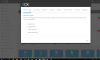
I have a 3cx issue in opening the portal, it necessarily requires a new registration
 

Attachments

  • s.PNG
    s.PNG
    83.7 KB · Views: 36
What's the precise issue? is the extension length is grayed out, looks like you click next and then came back to it. You can change the extension length once you set to certain size. You have to re-build the box, Looks like its new setup and not data in it. shouldn't be hard. Just uninstall, release your license key and re-install.
 
  • Like
Reactions: Mohamed Zedan 2
How I uninstall it?
 
Is it a windows box? if so go to control panel and uninstall program. Uninstall 3CX.
 
What's about the configuration of 3cx?
 
It will remove everything, you can use backup to restore system and change extension length. That is why you should very careful at selecting extension length. Can I ask how many extension are you planing to deploy, is it test for fun or production project. How many people going to use it and please consider growth as well. small companies give 3 digits are ok it gives you 1000 minus system extension and IVR, RING groups, Call queue. I never deployed more than 4 digit setup.
 
How can I backup it?
 
Mate, if you are new to 3CX you may want to watch few video first, you can not backup until you complete the initial wizard. The idea for backing up the system is to backup configuration which in your case you have not completed.

Also as i said before backing up and restoring the system will not let you change the extension length which is what I believe you are trying to do.

Please watch these video here and I am sure it will get you started.

https://www.3cx.com/3cxacademy/videos/basic/
 
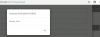
error
 

Attachments

  • Capture.PNG
    Capture.PNG
    42.4 KB · Views: 17
If you re-installing 3CX with the same license key with the new install instead of full restore, you need to login to your 3CX customer panel and release the license key first.
 
If you re-installing 3CX with the same license key with the new install instead of full restore, you need to login to your 3CX customer panel and release the license key first.


I did that
and I Renew a license with a new email but theproblemis still exist
 
Download the latest installer from the 3CX website, then start your installation from scratch.

Given the screen on the first post, it looks like your PBX does not have any configuration in it so there is nothing to backup.

Can you give any background information what version you were running before and what you did before this screen appeared?
 
I don't make any thing. the screen suddenly appears that.
i use v15
 
I haven't a backup for this and I can't take a backup for this because the screen appeared
 
I trying nslookup erp.3cx.com

C:\Users\administrator.SRV01CAI>nslookup erp.3cx.com
Server: google-public-dns-a.google.com
Address: 8.8.8.8

Non-authoritative answer:
Name: erp.3cx.com
Address: 151.80.125.67


this is error appeared :
License Activation Failed
license_error.HttpsError
 
Hi Mohamed,

It seems your system is having trouble communicating with activation. Try bypassing your firewall completely and disable any Windows antivirus/firewall software you may have as a test.
 
I already disable the firewall and there is no antivirus
 
Do you also use a hardware firewall?

You should also check to see if you have a valid license from the Portal: https://login.3cx.com/
 
Status
Not open for further replies.

Forum statistics

Threads
111,924
Messages
589,754
Members
164,796
Latest member
Dame24