- Joined
- Sep 28, 2020
- Messages
- 11
- Reaction score
- 5
Hi all.
Our 3CX Teams Sync is not working as the title suggests. Wodering if I share the SupportInfo logs with anyone you could have a look at the logs to see why?
We are running version Version 20.0 Update 5 (Build 551 Release) and have enabled 2 way sync between 3CX > Teams and Teams > 3CX. There is no issue with syncing status between 3CX > Teams. This works perfectly, but we cannot sync status between Teams > 3CX, this just does not work.
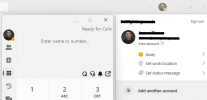
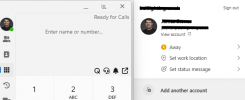
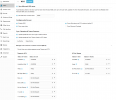
All photos attached show the setup on 3CX Teams Integration.
We're only syncing specific users from M365, all of which are enabled and active in out Tenant. I have removed some old disabled accounts from syning as the 3cxManagementConsole.log file i saw this log:
2025/04/17 13:31:25.814|0037|Warn| [_3CX.Integration.Presence.Microsoft365PresenceSubscribeJob] Subscribe job failed: Account not found
However it still doesn't sync the status so I must be missing some other setting.
I would rather not share the logs publicly so If anyone from support would be interested in having a look, then I will share them over DM.
Thanks,
James
Our 3CX Teams Sync is not working as the title suggests. Wodering if I share the SupportInfo logs with anyone you could have a look at the logs to see why?
We are running version Version 20.0 Update 5 (Build 551 Release) and have enabled 2 way sync between 3CX > Teams and Teams > 3CX. There is no issue with syncing status between 3CX > Teams. This works perfectly, but we cannot sync status between Teams > 3CX, this just does not work.
All photos attached show the setup on 3CX Teams Integration.
We're only syncing specific users from M365, all of which are enabled and active in out Tenant. I have removed some old disabled accounts from syning as the 3cxManagementConsole.log file i saw this log:
2025/04/17 13:31:25.814|0037|Warn| [_3CX.Integration.Presence.Microsoft365PresenceSubscribeJob] Subscribe job failed: Account not found
However it still doesn't sync the status so I must be missing some other setting.
I would rather not share the logs publicly so If anyone from support would be interested in having a look, then I will share them over DM.
Thanks,
James