3CX - no outgoing calls

Oleksii

SOHO User
Joined
Oct 3, 2024
Messages
34
Reaction score
8
Hi!

We have a problem - outgoing calls do not go through.

Details:
We have 3CX on our own hardware (Debian version on the Hyper-V host).
The last version. There is a subscription.

There are 4 trunks to the provider Kyivstar.
All are active and are authorized. Authorization on trunks by name and password.
For each trunk, the limit of the 1st call is indicated.
Trunks were created through the wizard with the local provider, connection point, login and password.

We use mobile clients and stationary ones through a VoIP gateway.
There is a plugin for our website.
There is an integration with Office365.

Caller ID is not specified for users.

Firewall Rules Verification Succeeds.

There is only one department, working hours are indicated.
In the outgoing rule for calls (rule one), the department and 4 trunks are specified.

Incoming calls go through, but outgoing calls don't.

The user hears that the call is prohibited. Error 403 is not allowed in the log.

What we tried:

We recreated trunks, created a new division, removed the prefix when calling.
It didn't help.
We also tried to make a call from Windows (with the same network settings in Hyper-V, which is connected to the same virtual switch on the same host) from the PhonerLite program – everything works.

At some point, 3cx stopped displaying the event log.
We installed a new virtual machine from Debian ISO and restored the configuration from a backup file.

That didn't help☹ either

The operator says that he does not receive requests to make a call.

Help solve the problem.

I've already broken my head

The attachment contains a log file of one of the unsuccessful call attempts.
 

Attachments

Have you used the 3CX Activity Log (Verbose) to get the details of why calls are failing? If they are reaching the trunk, and/or the provider.
 
Have you used the 3CX Activity Log (Verbose) to get the details of why calls are failing? If they are reaching the trunk, and/or the provider.
A part of such a log is attached. But I don't understand how to interpret some of the events. For example:Lsip{201/1.1/UAS*[Connected&Neutral]} terminating with reason 'Call terminated', code = 200I don't understand, the PBX can't connect to the ISP or the ISP drops the connection
 
have you spoken with your SIP provider to ask that you're authorised to make outbound calls? Sometimes they dont allow it by default.
 
have you spoken with your SIP provider to ask that you're authorised to make outbound calls? Sometimes they dont allow it by default.
Up to a certain point, everything worked. I successfully make outgoing calls through a separate program that has the same authorization as on the PBX.
 
Hi @Oleksii the 403 is being sent by the voip provider, please note that this is an unsupported sip trunk, so you need to configure correctly the outbound parameters as requested by the voip provider.

Please check these guides:

https://www.3cx.com/docs/sip-trunk-outbound-calls/
https://www.3cx.com/docs/supported-sip-trunk-requirements/
https://www.3cx.com/blog/docs/voip-provider-interop-explained/

So you need to edit the sip trunk using notepad++, configure the outbound parameters with the correct variables needed by your voip provider, then import the template from the advanced menu ---- templates ---- voip provider template. In that way the pbx can send the invite with the correct fields needed by the provider.

Otherwise then use a supported sip trunk:

https://www.3cx.com/partners/sip-trunks/ukraine/
https://www.3cx.com/partners/sip-trunks/worldwide/

Have a great week ahead.
 
Hi @Oleksii the 403 is being sent by the voip provider, please note that this is an unsupported sip trunk, so you need to configure correctly the outbound parameters as requested by the voip provider.
I used the existing template for the local provider that is in the PBX interface: UA Kyivstar. I also tried to create a new trunk using Generic Voip. As I understand it, now I need to save the existing template (XML) and check it with the settings that the provider currently has (may change)?
 
[IncRR](C:1): destination failed, reason DestinationIsNotReachable
[CDR] Call(C:1): route failed: caller L:1.1[Extn:100{00000000-01db-f581-6708-b01200000001}], router Out#:>>Rule{Out}>>0509999999{00000000-01db-f581-6708-b02700000002}, target Unknown:{}, reason rejected + no_route
SeqDest(280271079)@C:1 calling next target
[CDR] Call(C:1): route failed: caller L:1.1[Extn:100{00000000-01db-f581-6708-b01200000001}], router Out#:>>Rule{Out}>>0509999999{00000000-01db-f581-6708-b02700000002}, target Line:10000>>0509999999{00000000-01db-f581-670e-6ab400000003}, reason rejected + no_access
SeqDest(280271079)@C:1OnFailure from L:1.2[Line:10000>>0509999999{00000000-01db-f581-670e-6ab400000003}]; reason: Cause: 403 Forbidden/INVITE from 188.163.212.3:5060
RESPONSE_ERROR_CODES is parsed to [400,401,403,404,405,406,408,409,415,480,481,484,486,488,500,501,502,503,504,513,600,603,604,606]
Lc:10000(@444111222[<sip:[email protected]:0/UDP>]): Failed to reach destination <sip:@188.163.212.3:5060/UDP>, status code 403
L:1.2[Line:10000>>0509999999{00000000-01db-f581-670e-6ab400000003}]: destroying MSEP([email protected]:5482@?)
Line:10000 is involved in 0 calls
L:1.2[Line:10000>>0509999999{00000000-01db-f581-670e-6ab400000003}]: failure Cause: 403 Forbidden/INVITE from 188.163.212.3:5060
Lsip{204/1.2/UAC[SentInvite&OfferSent]} failure response to outgoing call: InvOUT Recv 403/INVITE from 188.163.212.3:5060 tid=7f2ba568b6f2c551 Call-ID=Z7fTB_nZnl-WXoQDI7xS8A..: SIP/2.0 403 Forbidden Via: SIP/2.0/UDP 172.17.12.7:5060;received=88.222.111.000;branch=z9hG4bK-524287-1---7f2ba568b6f2c551;rport=5060 To: <sip:[email protected]>;tag=aprqngfrt-si1p411000020 From: <sip:[email protected]>;tag=d8433679 Call-ID: Z7fTB_nZnl-WXoQDI7xS8A.. CSeq: 1 INVITE Content-Length: 0

So... it seems your provider is not happy with either the number format, or perhaps even the caller ID format. You might want to confirm exactly what it is that they want.
 
  • Like
Reactions: Alejandro_3CX
I used the existing template for the local provider that is in the PBX interface: UA Kyivstar. I also tried to create a new trunk using Generic Voip. As I understand it, now I need to save the existing template (XML) and check it with the settings that the provider currently has (may change)?
Oh I read the sip trunk name in russian, sorry.

Then yes, that is the correct way to use that sip trunk. I wonder if you entered the main trunk number in the national format (e.g. 440266141).

if you make a packet capture from the pbx selecting all the interfaces, place the outbound call, do you see the outbound invite from the pbx to the voip provider?

set an outbound rule for testing using as prefix 0-9,+ and dial the number in the correct format requested by the voip provider.
 
So... it seems your provider is not happy with either the number format, or perhaps even the caller ID format. You might want to confirm exactly what it is that they want.
Oh, thank you so much! I'm just writing them a letter.
 
  • Like
Reactions: Alejandro_3CX
Then yes, that is the correct way to use that sip trunk. I wonder if you entered the main trunk number in the national format (e.g. 440266141).
Yes
set an outbound rule for testing using as prefix 0-9,+ and dial the number in the correct format requested by the voip provider.
1752599940691.png
It doesn't work. I tried to send just the operator's code and the number - it passes. The ATS apparently adds something. We once had a joke with O365 – the PBX substituted a CallerId from a user card on the Microsoft portal. We have been looking for a long time...

A little later I will try to capture traffic.
 
That's it, the issue is closed. Sync with O365 is to blame. CallerID, which the employee specified in the properties of his card as a mobile number, is dragged into the user properties. Well, when calling, this PBX number was substituted as a CallerId in the connection...
And you can't remove this number from O365 – Microsoft's 2FA stops working.

And you can't set up 3CX – O365 sync either. Hopefully 3CX will add this feature someday
 
Last edited:
  • Like
Reactions: leejor
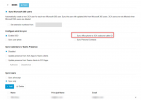
If you are using the M365 integration, you can disable the sync office phone. This provider does not support clip no screening, it means you can only present as caller id the numbers associated in your account.


1752604031164.png


Regarding the 2FA, make sure you have installed the ntp service in the machine, if you are using hyper-v this must be installed as mentioned in this document, then make a reboot.
 
  • Like
Reactions: Oleksii
If you are using the M365 integration, you can disable the sync office phone. This provider does not support clip no screening, it means you can only present as caller id the numbers associated in your account.
Great! There wasn't such a function before. I wrote about Microsoft's 2FA. Some employees have their mobile numbers listed (or they added them at Microsoft's request) in their profiles on the Microsoft website. That's where the problem arose. Thank you for the hint!
 
sure, no problem
 

Latest Posts

Forum statistics

Threads
111,961
Messages
589,954
Members
164,862
Latest member
ARTipsadmin