- Joined
- Oct 20, 2017
- Messages
- 2
- Reaction score
- 0
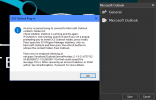
I'm on an updated Windows 10 Pro, Office 365 Outlook. I followed the documentation listed on the site and still get the below error when launching Outlook. My 3CX is Enterprise and up to date to latest production build. Scripts appear to be in the correct location here: C:\ProgramData\3CXPhone for Windows\PhoneApp\DotNetScripts\Outlook. I installed VST 2007 and 2010 to be safe. Please advise.
Name: 3CXOutlookAddin - 3CX Outlook Addin
From: file:///C:/ProgramData/3CXPhone for Windows/PhoneApp/DotNetScripts/Outlook/References/3CXOutlookAddin.vsto
************** Exception Text **************
System.Security.SecurityException: Customized functionality in this application will not work because the certificate used to sign the deployment manifest for 3CXOutlookAddin or its location is not trusted. Contact your administrator for further assistance.
at Microsoft.VisualStudio.Tools.Applications.Deployment.ClickOnceAddInTrustEvaluator.VerifyTrustPromptKeyInternal(ClickOnceTrustPromptKeyValue promptKeyValue, DeploymentSignatureInformation signatureInformation, String productName, TrustStatus status)
at Microsoft.VisualStudio.Tools.Applications.Deployment.ClickOnceAddInTrustEvaluator.VerifyTrustUsingPromptKey(Uri manifest, DeploymentSignatureInformation signatureInformation, String productName, TrustStatus status)
at Microsoft.VisualStudio.Tools.Applications.Deployment.ClickOnceAddInTrustEvaluator.VerifyTrustUsingPromptKey(Uri manifest, DeploymentSignatureInformation signatureInformation, String productName)
at Microsoft.VisualStudio.Tools.Applications.Deployment.ClickOnceAddInDeploymentManager.ProcessSHA1Manifest(ActivationContext context, DeploymentSignatureInformation signatureInformation, PermissionSet permissionsRequested, Uri manifest, ManifestSignatureInformationCollection signatures, AddInInstallationStatus installState)
at Microsoft.VisualStudio.Tools.Applications.Deployment.ClickOnceAddInDeploymentManager.VerifySecurity(ActivationContext context, Uri manifest, AddInInstallationStatus installState)
at Microsoft.VisualStudio.Tools.Applications.Deployment.ClickOnceAddInDeploymentManager.InstallAddIn()
The Zone of the assembly that failed was:
MyComputer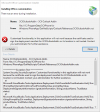
Name: 3CXOutlookAddin - 3CX Outlook Addin
From: file:///C:/ProgramData/3CXPhone for Windows/PhoneApp/DotNetScripts/Outlook/References/3CXOutlookAddin.vsto
************** Exception Text **************
System.Security.SecurityException: Customized functionality in this application will not work because the certificate used to sign the deployment manifest for 3CXOutlookAddin or its location is not trusted. Contact your administrator for further assistance.
at Microsoft.VisualStudio.Tools.Applications.Deployment.ClickOnceAddInTrustEvaluator.VerifyTrustPromptKeyInternal(ClickOnceTrustPromptKeyValue promptKeyValue, DeploymentSignatureInformation signatureInformation, String productName, TrustStatus status)
at Microsoft.VisualStudio.Tools.Applications.Deployment.ClickOnceAddInTrustEvaluator.VerifyTrustUsingPromptKey(Uri manifest, DeploymentSignatureInformation signatureInformation, String productName, TrustStatus status)
at Microsoft.VisualStudio.Tools.Applications.Deployment.ClickOnceAddInTrustEvaluator.VerifyTrustUsingPromptKey(Uri manifest, DeploymentSignatureInformation signatureInformation, String productName)
at Microsoft.VisualStudio.Tools.Applications.Deployment.ClickOnceAddInDeploymentManager.ProcessSHA1Manifest(ActivationContext context, DeploymentSignatureInformation signatureInformation, PermissionSet permissionsRequested, Uri manifest, ManifestSignatureInformationCollection signatures, AddInInstallationStatus installState)
at Microsoft.VisualStudio.Tools.Applications.Deployment.ClickOnceAddInDeploymentManager.VerifySecurity(ActivationContext context, Uri manifest, AddInInstallationStatus installState)
at Microsoft.VisualStudio.Tools.Applications.Deployment.ClickOnceAddInDeploymentManager.InstallAddIn()
The Zone of the assembly that failed was:
MyComputer