3cx - Patton SmartNode 4171 Voip Gateway Poor Audio Quality

Status
Not open for further replies.

ybello

Platinum Partner
Advanced Certified
Joined
May 18, 2019
Messages
49
Reaction score
25
Would appreciate any headsup on my current config which is coming up with extremly poor audio quality specially on the customers (Calling Party's) end. Users/Agents can hear clearly bu the other end is just extremly poor with lost of static and echo.

I just upgraded the Firmware of the Patton device to the latest Firmware (2.16.1-19101) still the issue persists. I have played around with Codecs on both devices current Codec is G711 Alaw 64k.

Would appreciate if anyone has experienced this lately and was able to fix the issue.

PS. I used an unsupported Gateway as a test (Sangoma Vega 100) and it worked seamlessly with excellent audio quality. It beats me that a supported device will not work.
 
I use Patton gateways (ISDN, FXO, FXS) with 3CX quite regularly without any issues in regards to audio. On the newly supported Trinity based OS (which is what these are) the only settings that I can think of that you may want to try is on the gateway settings on 3CX:

PBX Delivers Audio, which for a gateway is normally turned off, you could try turning it on (This option forces the audio traffic to be redirected through the PBX, which acts as an audio proxy). Change the setting and re-provision the gateway.

Codec changing should not be too much of an issue as long as bandwidth is not a problem, you have already proved this with use of another gateway.

Is the gateway local to 3CX or connected via a VPN tunnel to a hosted system ? these are the only 2 supported setups for PSTN gateways. If you can run Wireshark from 3CX and get a PCAP trace this would also be useful. You can run traces from the Patton command line (commands below) but for audio issues it most likely wont throw much up other than being able to see the audio MOS score from the Patton:

enable
show running config
debug cr full-detail
debug cc full-detail
debug isdn-signaling full-detail
debug sip-signaling full-detail
debug sip-transport full-detail
debug context sip-gateway error

-----REPLICATE CALL-----

no debug all
(to stop the tracing).
 
Thanks alot @eddv123 I was hoping i'd get your attention. Will try out your suggestions right away and share feedback.
 
No problems, I will keep an eye out for your response. Feel free to PM me a PCAP or output from the command line of the Patton if you get one.
 
Hello @eddv123 thanks a million for the support so far. Went through the following steps this morning and the issue seems to have been resolved;

1. The existing installation was on a Hyper-V appliance with Broadcom NetXtreme gigabit NICs - I moved it to a physical appliance. (Read some documentation about how these NICs could be an issue for audio on virtual guest machines)

2. I also downgraded the 3cx installation to 16.0 from 16.3 with the old Patton Templates.

Not sure which of the steps above solved the issue, but Im sure glad the issue has been resolved.

Hope this helps someone.....

Cheers
 
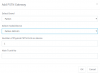
Im referring to the template that comes default with version 16.0 as shown in this picture.13110
For now I have disabled Automatic Updates, until I can replicate this in a non-destructive environment.
 
Status
Not open for further replies.

Forum statistics

Threads
111,934
Messages
589,819
Members
164,811
Latest member
aurorasigntrtechitnet