3CX phone voice too soft

Status
Not open for further replies.

zhangjx99

Joined
May 26, 2010
Messages
51
Reaction score
0
Hi all, any one faced similar issue where softphone side can't hear otherside clearly due to the voice too soft, even put max volumn. other side (IP phone) can hear voice clearly from 3CXphone. any parameter can adjust? SKYPE on the same PC no such issue.

Thanks. JX
 
Hello,

I'm having similar problem: the 3CX phone loudness is very low. I tested it on some machines in 2 offices (so, connection was local and over the Inet) - in some cases the call was just quiet, but in some I can barely hear other party. And Skype in the same conditions worked without any problems.

Is there any setting I can change in 3CXphone to setup loudness level / recording level? It's very nice application, but if it doesn't make well the main function - it's useless.

Thanks in advance,
Nikolai.
 
This is very odd, because I often find I have the opposite problem - 3cxPhone is much louder than Bria on my system and often have to turn it down.
 
I guess it's related with PC hardware / drivers (mic boost etc.) What makes me unhappy that Skype could perfectly utilize any hardware we used and for 3CXphone it's far from true...
 
Hi,

Interesting, there is a setting to up the volume o the 3cx phone (prefernces) Im not sure if you have allready played with this setting, What sound card are you using?
 
Hi,

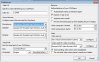
I am using default Mic and Speaker per attached, I also tried to use Microsoft Primary Mic/Speaker, but same result.

where is the setting to up the volume?

"there is a setting to up the volume o the 3cx phone (prefernces)"


Thank you for your help.
JX
 

Attachments

  • 3cxpref.jpg
    3cxpref.jpg
    105.6 KB · Views: 2,435
As far as I understand, both of you are referring about setting microphone level from 3CXphone interface, comparing with Skype. The answer is no, 3CXphone doesn't provide microphone level adjustment, since recording - unlike playing - is a global, per machine setting.

Both Skype and Xlite change recording level on the global mixer (computer). Open a Skype, set the microphone level, then open an Xlite - it will mess Skype's setting. Adjust Skype's one, and Xlite will be messed. Open the global mixer and adjust from there - both Skype and Xlite will be messed.

Therefore, being a global, per-machine setting, 3CXPhone doesn't want to alter it in any way.
 
My issue was with hearing the others (too soft). This worked better with the last version I think.
I really don't know why the change as I thought that was related to the audio drivers. :P
 
jcasares said:
My issue was with hearing the others (too soft). This worked better with the last version I think.
I really don't know why the change as I thought that was related to the audio drivers. :P
Hi

I have to explain something to be clear and to avoid confusion

3CXPhone's sound levels - those from preferences - affects only, let's say, phone's audio players. They don't affect computer's mixer volume.

Now, my XP's audio mixer (which opens from speaker icon next to clock on taskbar) has two related sliders: master volume and Wave volume - these two should be checked. If they are too low, definitely you will get a low volume, even 3CXPhone's are set to max. Obviously, the mute checkboxes affect also.

Hope it helps.
Regards
vali
 
Today I checked using it to call between 2 3CX Phone and it was useless. I couldn't hear the other side properly and the other side couldn't hear me as well. When I maxed out microphone level he barely heard me but it was unacceptable. Lucky that at work I use it to call real phones and not 3CX Phone extensions because I would have to ditch it.

Running on XP and with Skype it works wonderfully (the microphone and settings).
 
Status
Not open for further replies.

Latest Posts

Forum statistics

Threads
112,333
Messages
591,931
Members
165,488
Latest member
jb_erp