3cx PMS integration issues

Song

Bronze Partner
Basic Certified
Joined
Nov 12, 2018
Messages
379
Reaction score
24
Hi,

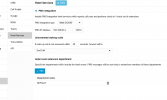
We are trying to get stayntouch PMS . and they have a local PC installed to act as the middle mad between the 3cx and PMS. They are using the mitel protocol. I have follow everrything on the page on how to set this up including setting up the IVR wake-up. But their program say it is trying to send infor to the 3cx but it is timing out. Is there a firewall I need to disable or allow? Anyone know how to troubloshoot this?

I tried from the integration PC telnet 192.168.60.3 15374 but it did not connect. So i'm thinking the pbx is not allowing it to access it ? or that port is not open. can someone shred some light .

thank you
 

Attachments

  • Capture1.PNG
    Capture1.PNG
    27 KB · Views: 13
  • Capture.PNG
    Capture.PNG
    124.1 KB · Views: 13
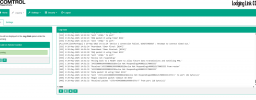
Here is the recent log of the time out.
-2025 16:53:34 'Sent '<ENQ>' to port'
[PLLLTCPClientPortApp] 0 29-May-2025 16:53:35 'Device 1 attempting connection to 192.168.60.3:15374'
[333] 2 29-May-2025 16:53:38 'Device not responding'
[333] 0 29-May-2025 16:53:38 'Moving back to a READY state to allow future data transmissions and notifying PMS.'
[333] 1 29-May-2025 16:53:38 '243330004309999001021Device Not Responding14600212178003333'
[445] 0 29-May-2025 16:53:38 'Received 243330004309999001021Device Not Responding14600212178003333 from router'
[445] 1 29-May-2025 16:53:38 '243330004309999001021Device Not Responding14600212178003333'
[445] 0 29-May-2025 16:53:38 'Data packet 430 using timer 1630'
[445] 0 29-May-2025 16:53:38 'Sent '<STX>243330004309999001021Device Not Responding14600212178003333<ETX>S' to port (62 byte(s))'
[445] 0 29-May-2025 16:53:38 'Begin complete packet timeout ID 1629'
[445] 0 29-May-2025 16:53:38 'Received packet '<STX>454450004309999<ETX>0' from port (18 byte(s))'
[333] 0 29-May-2025 16:53:41 'Heartbeat Timer fired: [1636]'
[333] 0 29-May-2025 16:53:41 'ENQ packet 0 using timer 1627'
 
Check port 15374 as there is no reply back for the connection attempt.
 
Try to run a capture, this will give more information for the connection.
 
Try to run a capture, this will give more information for the connection.
ok will do.. i ran a capture. and I opened it with wireshark. what should I look for? or search for.. kinda new to this packet capture stuff.. thank you
 
if i enable the hotel services should the port be open 15374? if so when i login ssh on the 3cx i should be able to do telnet localhost 15374 and it should reply right? or the middleman acting the bridge between PMS and 3cx should have port 15374 open ? I should be able to telnet localhost 15374 and should get a reply? please advise if my legit is correct? I login to both machine and did a telnet localhost 15374 and connection refuse. so that mean both machine port is closed. is this normal?
 
Last edited:
In 3CX you need to enter the details of the machine you are connecting to.

What is the IP Address of the PMS server? That is what you need to enter in 3CX as the "PMS IP Address". What port is their software running on? Is it actually 15374? If not, change it to the port that the PMS is running on.
 
In 3CX you need to enter the details of the machine you are connecting to.

What is the IP Address of the PMS server? That is what you need to enter in 3CX as the "PMS IP Address". What port is their software running on? Is it actually 15374? If not, change it to the port that the PMS is running on.
it was the firewall on the 3cx that blocked it. My question is how to I add the PMS IP to the nftable to allow everything on that IP and allow it to come in? anyone know how to add the rule in? IP 192.168.60.4 allow all and do not block.
 

Latest Posts

Forum statistics

Threads
111,962
Messages
589,993
Members
164,867
Latest member
swegner