3CX - PnP Provisioning stopped working

Status
Not open for further replies.

julsthreecx

Forum User
Joined
Mar 26, 2020
Messages
9
Reaction score
0
- 3CX does not see any new phones or factory reset phones. Does not show on the phones tab.
- Will provision when mac address of the phone is registered to the extension.
- 3CX server is in the same VLAN as the phones.
 
Did it every worked ?

How are your vlan configured, as PnP may not be crossing between the Vlans

How does the phone get it vlan settings
 
Yes PnP provisioning was working when we deployed 40+ phones a day after it was installed.

Right now we are deploying phones thorough option 66.
 
Have switches updated?

Do they need a reboot?

Have you played with multicasting settings?
 
  • 3CX Version, Professional Annual
  • Server OS. Debian 9
  • Is the 3CX Server Hosted and where? On Prem/ VMWare ESXi
  • IP Phone Make/Model/Firmware Yealink T42s/T46s
  • Provisioning Method: Local
  • Trunk Provider or Gateway Make/Model VOIPms
  • Has the Firewall Checker passed: NO
  • Are custom Phone Templates being used: NO
  • Networking Cisco WS-C2960S (Stack) Cisco WS-C3560X-24 (Core)
 
Have switches updated?
Do they need a reboot?

Have you played with multicasting settings?


No everything seems to be fine and nothing major have been done in terms of changing the configuration.

Multicast settings on the switch or server?
 
Thank you guys for helping out!
Thanks for the input cobaltit, Ive checked that article and ran the netstat -g command and sip.mcast.net is present.

-3CX and phones are in the same subnet.
-Checked if the nic supports multicast
cat /boot/config-4.9.0-12-amd64 | grep CONFIG_IP_MULTICAST
CONFIG_IP_MULTICAST=y
-Switchport config

description Workstation
switchport access vlan 20
switchport mode access
switchport nonegotiate
switchport voice vlan 99
spanning-tree portfast
spanning-tree bpduguard enable
 
Hmm.. You mention the firewall test doesn't pass. Is this because of restrictive firewall settings or...? The reason I ask is sometimes there's little networking quirks that running the firewall test will resolve. It doesn't need to pass but running the test sometimes clears things up. Also, you mention you are doing Option 66 right now. I don't remember for certain but there's a chance that it will skip the PnP step if Option 66 is present. Have you tried turning that off and seeing if they will show up?
 
Hmm.. You mention the firewall test doesn't pass. Is this because of restrictive firewall settings or...? The reason I ask is sometimes there's little networking quirks that running the firewall test will resolve. It doesn't need to pass but running the test sometimes clears things up. Also, you mention you are doing Option 66 right now. I don't remember for certain but there's a chance that it will skip the PnP step if Option 66 is present. Have you tried turning that off and seeing if they will show up?
Yes we have tried disabling option 66 and still does not work. Does option 66 override pnp?
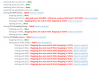
Not sure if this was a pass or fail. lol

1594328801474.png
 
That's a fail, but if you just ran that and then rebooted a phone after and still didn't see a PnP entry then it's likely not on the 3CX end. I'm guessing the switch.

No everything seems to be fine and nothing major have been done in terms of changing the configuration.

Multicast settings on the switch or server?
What does nothing major mean? If anything changed it's a possible culprit. Do you have a switch config backup as it was when you first did the install to roll back to and see if PnP works again?
 
There was no global changes done in the core switch. Compared the configs today and nothing change except for the changes made on the interface.
 
Status
Not open for further replies.

Forum statistics

Threads
111,954
Messages
589,921
Members
164,851
Latest member
DrunkeMeister