- Joined
- Jun 29, 2013
- Messages
- 21
- Reaction score
- 3
I'm not sure if this is the correct place to post this issue, please move it if my guess is wrong.
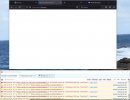
I can login to https://www.3cx.com/ however when I try and access my account information I get a blank web page to a URL such as
I am using the web browser Firefox 116.0 64 bit on Windows 10. I have tried
Is the something I'm missing or is the portal not compatible with Firefox on Windows?
I can login to https://www.3cx.com/ however when I try and access my account information I get a blank web page to a URL such as
I am using the web browser Firefox 116.0 64 bit on Windows 10. I have tried
Deleting web site data for 3cx.com.au (there is no data for www.3cx.com or portal.3cx.com)
Disabling enhanced tracking protection for www.3cx.com portal.3cx.com www.3cx.com.au portal.3cx.com.au
Disabling pop protection
Disabling uBlock origin and DuckDuck go addons for Firefox
Manually entering the url https://portal.3cx.com/login which redirects to https://portal.3cx.com/customer/login which is also a blank web page
Is the something I'm missing or is the portal not compatible with Firefox on Windows?