• We do not provide troubleshooting help for unsupported phones. Please try with a supported phone.
  • V20 Update 10 Alpha 2 Learn more

3CX SBC

Status
Not open for further replies.

darenfriday

Customer
Basic Certified
Joined
Jul 10, 2016
Messages
52
Reaction score
3
Hi
If I setup an SBC in the office to talk to our remote 3CX how do I reconfigure the phones to talk to the SBC rather than direct to the 3CX system
Thanks
Daren
 
Put simply, resetting a phone makes it appear as "New" and assigning it to its existing extension should automatically pick the SBC setting for you without any hassle.
 
Thanks Guys, sorted
I've reconfigured the handsets in system console to point to the SBC instead and factory reset them. Works fine

However. We have the sales phones setup to 'HotDesk' so users can logon to each handset and their number comes with them. When they do though their phone appears in the console 'NOT' configured for the SBC.

Is it possible to force any new connections through the SBC?
 
Have you change the provisioning of the hotdesk extension settings to use SBC - Advanced - Hotdesking

Also check under Options for the extension you have 'Block Remote Tunnel Connections (3CX App connections with Tunnel enabled & SBC will be blocked)' unticked
 
Have you change the provisioning of the hotdesk extension settings to use SBC - Advanced - Hotdesking

Also check under Options for the extension you have 'Block Remote Tunnel Connections (3CX App connections with Tunnel enabled & SBC will be blocked)' unticked

Hey Saqqara

No, we aren't using hotdesking in that way. The installer didn't set it up that way origianlly. We are using T27G handsets and I think its option 34 in the phone template to enable the HotDesk key on the screen, thats how they login.

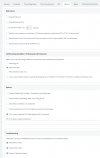
I've checked and I dont have the Block Remote Tunnel Connections ticked... See screen clip attached. You'll need your glasses...
 

Attachments

  • Options Capture.PNG
    Options Capture.PNG
    28.2 KB · Views: 3
I thought there may be a system wide setting to connect all handsets via the SBC rather than individually
 
Hey Saqqara

No, we aren't using hotdesking in that way. The installer didn't set it up that way origianlly. We are using T27G handsets and I think its option 34 in the phone template to enable the HotDesk key on the screen, thats how they login.

I've checked and I dont have the Block Remote Tunnel Connections ticked... See screen clip attached. You'll need your glasses...

Hi Daren,

It sounds like you are using the phones in an unsupported manner, and this might cause unforeseen issues.

I would recommend that you provision those phones properly as HotDesking devices

https://www.3cx.com/docs/hot-desking/
 
  • Like
Reactions: jed
Status
Not open for further replies.

Forum statistics

Threads
112,147
Messages
590,961
Members
165,167
Latest member
Finatra.us