Solved 3cx Update blocked in Update 2

Status
Not open for further replies.

thetissot

Bronze Partner
Basic Certified
Joined
May 20, 2020
Messages
23
Reaction score
2
Hello,

I am currently in Pro version 16.0.2.910 (under maintenance, install via le Debian ISO of 3cx in 2019) and I am having a problem with IOS devices asking me to update for incoming calls.

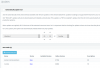
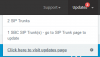
When I go to update I don't see the most recent updates? Is this normal? I must switch to automatic to switch to V16 Update 6?

Thanks.
 

Attachments

  • update1.png
    update1.png
    5.4 KB · Views: 9
  • update2.png
    update2.png
    28.8 KB · Views: 9
Hi @thetissot

You can try a couple of things to see your machine's current standing. These will not modify anything, they will just give us some clues as to why the updates don't appear.

1. Clear your browser cache or use incognito mode to log in to your management console. Make sure to log in as the global administrator, not as an extension who has admin rights.

2. Please try to login to your machine via SSH and run sudo apt update
This will not update anything, but we will see it the machine can reach the update servers firstly.
You can post the output here if you want and we can take it from there

3. Go to Settings > Parameters and search for DOWNLOADS_URL. Tell us what it contains
 
1 --> Same thing

Code:
sudo apt update
Achieved: 1 http://security.debian.org stretch / updates InRelease
Ign: 2 http://deb.debian.org/debian stretch InRelease
Achieved: 3 http://downloads-global.3cx.com/downloads/debian stretch-testing InRelease
Received from: 4 http://deb.debian.org/debian stretch-updates InRelease [93.6 kB]
Received from: 5 http://downloads-global.3cx.com/downloads/debian stretch InRelease [8 886 B]
Achieved: 6 http://repo.saltstack.com/apt/debian/9/amd64/latest stretch InRelease
Reached: 7 http://downloads-global.3cx.com/downloads/debian stretch / main amd64 Packages
Ign: 7 http://downloads-global.3cx.com/downloads/debian stretch / main amd64 Packages
Reached: 7 http://downloads-global.3cx.com/downloads/debian stretch / main amd64 Packages
Reached: 8 http://deb.debian.org/debian stretch Release
93.6 kb received in 1s (73.4 kb / s)
Reading packet lists ... Error!
W: Problem with removing link /var/lib/apt/lists/downloads-global.3cx.com_downloads_debian_dists_stretch_InRelease - TransactionStates-Cleanup (21: is a folder)
E: Could not read from /var/lib/apt/lists/downloads-global.3cx.com_downloads_debian_dists_stretch_InRelease - getline (21: is a folder)
E: The list of packages or the "status" file cannot be analyzed or read.

I think the problem is here ... do you have an idea ?
 
it would appear that one of the repo lists is corrupted, preventing the system from reading it (and hence no updates)

you can try to remove this file:
/var/lib/apt/lists/downloads-global.3cx.com_downloads_debian_dists_stretch_InRelease

then run the update again and it should re-create it, hopefully allowing you to proceed
 
otherwise do a complete backup and save it out of 3CX computer or VM and delete your actual pbx.
Do a fresh V16.6 install from scratch , restore during install
 
otherwise do a complete backup and save it out of 3CX computer or VM and delete your actual pbx.
Do a fresh V16.6 install from scratch , restore during install

Let's leave that as a last resort ;)
 
Agree John , of course but just to have this option in mind, sometimes, don't have to spend time to search too much why everything turns bad can be a pleasant solution :)
 
it would appear that one of the repo lists is corrupted, preventing the system from reading it (and hence no updates)

you can try to remove this file:
/var/lib/apt/lists/downloads-global.3cx.com_downloads_debian_dists_stretch_InRelease

then run the update again and it should re-create it, hopefully allowing you to proceed

Ok all is right ! Thanks for you support ! My 3cx is uptodate :)
 
  • Like
Reactions: JohnS_3CX
Glad to hear!
 
Status
Not open for further replies.

Latest Posts

Forum statistics

Threads
111,962
Messages
589,986
Members
164,867
Latest member
swegner