3CX WebChat not showing on my Weebly Website

Status
Not open for further replies.

Terri Griffiths

SMB User
Basic Certified
Joined
Jul 10, 2023
Messages
107
Reaction score
11
Hi there, have you created the live chat link and pasted this into the site as shown in the original guide you provided?

Additionally, what site address have you entered into the Live Chat section of the Admin console under the Your Website section?
 
Last edited:
Hi there, have you created the live chat link and pasted this into the site as shown in the original guide you provided?

Additionally, what site address have you entered into the Live Chat section of the Admin console under the Your Website section?
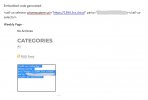
Yes, I added the snippet as an embedded code on my Weebly website page, but nothing shows. And I have entered my website address in the Live Chat section in my admin console too.
 

Attachments

  • Webchat 3cx.jpg
    Webchat 3cx.jpg
    27.2 KB · Views: 8
Yes, I added the snippet as an embedded code on my Weebly website page, but nothing shows. And I have entered my website address in the Live Chat section in my admin console too.
I've sorted it! Just moved where I dropped the embedded code and it now works. Ta!
 
  • Like
Reactions: Charles_3CX
I am glad that you have resolved this issue and this is now working for you.
 
Status
Not open for further replies.

Members Online Now

Forum statistics

Threads
111,831
Messages
589,277
Members
164,660
Latest member
RJenkinsROCK