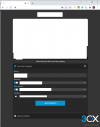
Solved 3cx webmeeting white page

Status
Not open for further replies.

antrill

Premier Customer
Joined
Dec 7, 2019
Messages
45
Reaction score
10
Hi,
today (March 7.) we have a new joining page but acually starting a meeting does not work. Only a white page in Chrome, also in Windows Desktop Client.
Please fix urgently. Covid and home office is still going on!
 
Hi @antrill,

Can you close down all pages but the Webmeeting page, then refresh the page? Let me know if that works.
 
hy
we have the same situation!
there is a new login page
 

Attachments

  • Unbenannt.png
    Unbenannt.png
    33.3 KB · Views: 7
Yes, can you also do the same thing I mentioned above @voip-toni? There was an update and it requires a 1 page refresh. This means close everything, only open the Web-Meeting page and perform a hard refresh (Shift+F5).
 
No, this does not work for me. Deleted cookies and cache, CTRL+F5, SHIFT+F5, I always get back to the login page and afterwards to a blank page.
 
joining the same meeting from iphone/mobile works!
only web (windows here) does not work
 
same here
SHIFT+F5 does not solve the problem
it only goes back to the login page and after join the white screen is here
 
same here, got info from two clients, they had to cancel their customers meetings already.wtf?
 
One thing that DID work for me now:
Open Chrome Incognito Tab, go to the web client there, then start meeting.
So it must be somehow related to caching, but how to get it working in normal Chrome?
 
same here. Only a white page in Chrome on all clients

addition: now it works again
 
Last edited:
Its working again.

(tested with new Meetings as Browser Session)
 
The same . No web meeting possible on the PC. Just a white page.
 
OK, now it seems to work normally, at least for 3 colleagues.
 
we have seperate scheduled meetings for different regions
some work
some not
 
It starts working again. As a suggestion to 3cx: Don't stress us by making unanounced changes on a Monday morning. So many calls, so many angry clients...


oh wait. Now it has been changed to "Maintenance Expired. Meetings are disabled. Contact administrator."

Thanks for even more calls...
 

Attachments

  • image.png
    image.png
    192.5 KB · Views: 8
One more thing - in a pre-scheduled meeting, we do not see the "Add new participants" button for getting the link. Not even the organizer has this. Also, some menu items are english only. Looks a little like a preview version.
 
Have to take the last thing back - add participants is there, but only for the organizer.
 
Webmeeting system does not seem to be consinstantly stable. Some meetings work, some not. Made some test meetings, quality changes strongly during the meeting for all participants (from crisp clear to some undefined block pictures and crappy sound and reverse). Had that changes happening several times. I made a test call with 4 technicians. quality changes occured at all particiants.
 
Any news here from 3cx side? I mean something I could send to clients that may contain valid information and not just guesses from our side?
 
Hi all,

An update from our side, we've found the cause and are just waiting the go-ahead from the WebMeeting team to ask you to refresh as I mentioned in my first reply. It should be resolved shortly. Note that recordings may be a slight bit delayed when the service is restored.

Apologies for any inconvenience.
 
Status
Not open for further replies.

Forum statistics

Threads
111,973
Messages
590,076
Members
164,895
Latest member
jasonkkrause