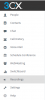
3CX Webui - Record button - Recording location

Status
Not open for further replies.

Andy Milne

Joined
Jan 22, 2019
Messages
5
Reaction score
0
Hi

I am on Linux and use the 3CX webui in tandem with my desk T46S desk phone. I would like to be able to record calls manually and there is a record button on the webui when answering a call. Pressing the button shows it is recording but at the end of the call I cannot see anywhere in the webui interface where the recording is.

Does anyone know where I can access these?

Thanks
 
Hello @Andy Milne

Recordings can be accessed from the management console and from the web client if the appropriate right is enabled under your extension settings.
To enable it you should edit your extension through the management console and navigate to the Phone Provisioning tab. Select the 3CX client from the drop down menu and scroll down to Access. Enable the option "Show Call Recordings" and confirm the changes by pressing the OK button. The Recordings tab should now appear in the web client.
 
Thanks for your reply. Does this only apply to Enterprise licensing as we have Pro and it says you need Enterprise to enable.
 
I just tried on v15 and v16 and under phone provisioning I was able to check the button.
In v15 I am PRO, on v16 I am Standard.
Please clear your browser cache and check again.
Can you post a screenshot where you are seeing this?
 
Thanks Craig, we are checking and will report back.
 
The option should be available to all licence versions. If clearing your cache does not work try to re-activate your licence. Also what PBX version are you running? You can see the exact build number on the Dashboard, under the Information column next to the licence version. For example 15.5.15502.6
 
Thanks for your reply. Does this only apply to Enterprise licensing as we have Pro and it says you need Enterprise to enable.
That confused us as well, in the Enterprise version you can remove from certain users the option of turning call recording off. In the Pro version all users can choose whether they record the calls or not.
My understanding is:-

Enterprise scenario:
Call centre staff - Management want all calls recorded so its turned on in the management console, call centre staff can not stop the recording.
Manager - Has the option to manually turn call recording on or off on their calls as required.

Pro - All users have the ability to start and stop call recording, not ideal if it's the company policy to record all calls.
 
We are running 16.????? Perhaps I should clarify, the option IS there to always record but not to record on demand with the REC button on either the webui or Android app.
 
The recordings options in a V16 Pro licence should look like this:

2019-01-30_11h12_49.png
The only option you should not be able to control is the Start and Stop function but it should be enabled by default and the users can start and stop recordings. You need Enterprise to be able to turn that option off.
I am confused however on what the issue is. In your first post you mentioned that Recordings were not visible. Is that sorted?
Also V16 is still in Alpha so i would not recommend using it for a production environment.
 
Hi. OK to clarify, both the webui and Android app have a record button which you can click to turn on and off however the recordings are not shown in the Android app and there is no where in the webui to see recordings. Apologies as this has been a three way conversation between yourself, myself and the admin team.
 
The Android app does not have the ability to show recordings. The web client will show the Recordings tab if the option i mentioned in my first reply is enabled. 2019-01-31_13h39_40.png
 
Status
Not open for further replies.

Forum statistics

Threads
111,913
Messages
589,706
Members
164,783
Latest member
GothamUser