3cx Whatsapp Integration

Status
Not open for further replies.

hunger

Free User
Joined
Apr 16, 2020
Messages
24
Reaction score
0
Dear Team

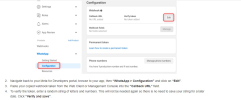
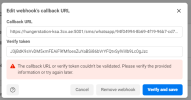
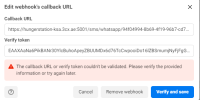
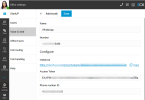
I was trying to integrate whatsapp, But i was getting stuck on this step.4, Receiving below error.
I can't find the option > Startup> Voice & Chat from web-client (which web-client do i need to use any user or admin)? When i click on windows symbol it ask me to install or provision Desktop APP.
I can setup in sip trunk> Add whatsapp> Added Token and Phone ID.

Could you plz advice.
1667136601175.png

1667136548427.png

1667139076440.png
 

Attachments

  • 1667136524986.png
    1667136524986.png
    91.2 KB · Views: 3
Last edited:
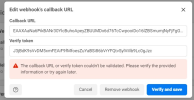
Have you put the Webhook into the Callback URL? I don't think the URL is that long or encoded.
 
Hi
Sorry it was wrong screenshot

updated above
1667139112540.png
 
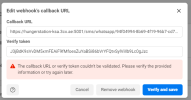
The access token should be put in the verify token field.
 
1667139807208.png

Yes, I also tried with access token, which is generated
but still same.
 
At this point, I'd try to do the integration from scratch.

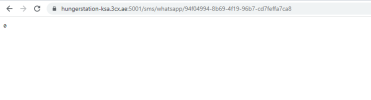
If you take the webhook and open it in a Browser, do you get a blank page with a 0?
 
i didn't try now, above screenshot was my first attempt
1667140412756.png
 
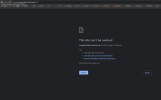
Can you please ensure that the https port of your system is open inbound for TCP port 5001.
 
Yes all ports related to 3cx is open.
 
Hi

Actually it was open, But which country you're trying from might be your country is in blocklist.

And From which source do i need to open port to make this WhatsApp integration works?
 
For this check with WhatsApp (Meta), we don't have this information from our side, and it may also be region based.
 
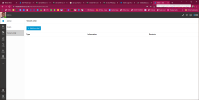
Hi Guys, I don't have the Voice & Chat + WhatsApp option, why not?
Even when I hadd added WhatsApp to the SIP Trunk I didn't have this option. Is this area where you manage the routing of WhatsApp Chats, or is there no managing the agents who get notified of a chat message yet? Presumably this is a duplicate area of the SIP Trunk WhatsApp account info no?

1667225587306.png
 
Hi Guys, I don't have the Voice & Chat + WhatsApp option, why not?
Even when I hadd added WhatsApp to the SIP Trunk I didn't have this option. Is this area where you manage the routing of WhatsApp Chats, or is there no managing the agents who get notified of a chat message yet? Presumably this is a duplicate area of the SIP Trunk WhatsApp account info no?

View attachment 32599
Regarding your question, only with the startup version will the management of WhatsApp be in the webclient/office settings. For all other dedicated instances, the WhatsApp configuration is only available under the Sip trunks section of the management console.
 
  • Like
Reactions: ochapple
Status
Not open for further replies.

Members Online Now

No members online now.

Forum statistics

Threads
111,832
Messages
589,285
Members
164,662
Latest member
DejanMDS