3CX Windows Softphone Compatibility with Poly Headsets

Status
Not open for further replies.

Ahlan

New User
Joined
Aug 22, 2022
Messages
2
Reaction score
0
We are using 3CXPhone Windows V6. We are trying to use Poly Voyager 4310 headset but we cannot get the control buttons on the headsets to work.
We have tried installing the Poly Hub application.
Poly support says it is something to do with the configuration of our 3CX application.


I RTF, and saw posts that said we had to start the 3CX application after Poly Hub (tried that).
Nothing we do seems to get those buttons to work.

Does anyone have any ideas?

3CX website clearly states that Poly headsets are compatible with 3CX Windows phone.
 
V6.0 is a rather old version of the desktop client (I believe from 2008 even). I would suggest trying something newer like the V16 desktop client (available through your Customer Portal) or the V18 Desktop App, installed via the webclient. For the V18 Desktop App be sure to set headset integration to Plantronics under Settings > Audio/Video.
 
Hi Pangel, Thanks for your reply. I think we are using the most recent version of the app. This isn't a 3CX Client app connected to a 3CX PBX. We are using the 3CX Phone for Windows. (https://downloads-global.3cx.com/downloads/3CXPhoneforWindows16.msi).
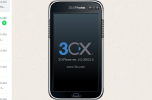
In App it shows as ver 6. See image below.

3CX does say this app is compatible with Poly headsets


1661242040000.png
 
Last edited by a moderator:
Hi Pangel, Thanks for your reply. I think we are using the most recent version of the app. This isn't a 3CX Client app connected to a 3CX PBX. We are using the 3CX Phone for Windows. (https://downloads-global.3cx.com/downloads/3CXPhoneforWindows16.msi).
In App it shows as ver 6. See image below.

3CX does say this app is compatible with Poly headsets
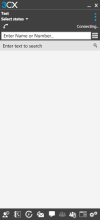
The image you sent is of the Version 6 client from 2008. Using the link in your post (https://downloads-global.3cx.com/downloads/3CXPhoneforWindows16.msi) you will get the Version 16 client, which is much newer and looks like this:

1661242675825.png

That is also what the KB article that you linked is referring to.
As previously mentioned you may also use the V18 Desktop App that you can install and deploy from the web client, which offers more features and better integration than the V16 desktop client.
 
Last edited by a moderator:
Status
Not open for further replies.

Forum statistics

Threads
112,351
Messages
592,036
Members
165,514
Latest member
megalmazan