3CX with Google Voice via Obi200

Status
Not open for further replies.

nick96761

Joined
Jan 7, 2019
Messages
17
Reaction score
0
Hello,

Does anybody know a successful way to configure 3CX to connect to Google Voice?

My Current (failed) Attempt: I have an Obi200 (now Polycom) that has successfully connected to GV, configured the Obi200 to provide a SIP trunk (following the directions listed here http://nerdvittles.com/?p=25846), but have been unsuccessful in connecting 3CX to the Obi200 SiP trunk (unable to register to it).

Thanks for your help!
 
I've had a couple working for a while.

Do you have the 200 working with GV? Can you place a call if you plug in an analogue telephone?
Is the 200 on the same LAN as the 3CX server?

Does the 3CX trunk, show (at both ends) as registered?
 
Last edited:
I've had a couple working for a while.

Do you have the 200 working with GV? Can you place a call if you plug in an analogue telephone?
Is the 200 on the same LAN as the 3CX server?

Does the 3CX trunk, show (at both ends) as registered?

Hi, thanks for your help. Yes the 200 is working with GV and an analog phone. It's also on the same LAN as 3CX server.

The trunk is showing at not registered on 3CX end (all I have done is add a Generic SIP trunk and in/out rules directing calls to an extension, maybe I missed a step?).

The Obi200 is showing as connected to GV, but not sure where to look for the PBX registration status.

Thanks again.
 
There are a lot of settings and i might not have time, at the moment, to get them all at once.

First off the 3CX trunk
Create a PSTN Gateway trunk (not a SIP trunk) ,use the IP of the 200 and a port (choose 5061 for the time being). Port ID and Authentication are the 3CX trunk number. Password is either 3Cx generated, or your choosing.
Set Require Registration for...Do not require. Under DID, port Identification, I added the trunk number (can't remember if that was required or not.

I'm going to assume that GV is ITSP profile A and SP1 service and that 3CX is ITSP B and SP2.
.
 
Last edited:
  • Like
Reactions: nick96761
ITSP A and SP1 will remain pretty much the same except for ...under SP1 service/X_InboundCallRoute = sp2(xxxxx) The X's= your 3CX trunk number
 
  • Like
Reactions: nick96761
For ITSP B /SIP
Leave all at default except...
Proxy server- IP of 3CX server
Registration Period= 1700
Register Expires = 1700
X_SpoofCallerID - (check)

Under General
All default except..
Name= 3CX (or whatever)
Signalling Protocol = SIP
Digit Map = (xx.Mipd))
 
  • Like
Reactions: nick96761
Under SP2 Service

Be sure it is enabled at the top

All default except...

X_InboundCallRoute= {XXXXX>(xx.):sp} where xxxxx = 3CX trunk number
X_UserAgentPort =5061 (this must match the port number used in the 3CX trunk settings)
AuthUserName = XXXXX (3CX trunk number)
AuthPassword= the 3CX password

A the top, under enabled, I have the 3 profile options set to use profile B, this may not be needed.

I know that this works for me. I moved all of my settings over to an Obi200 from a 110 a while back. There may be some settings that are not needed, but it works for me, and I'm not going to start changing things if it works.

In 3Cx the trunks should show as registered because you've told it not to bother. In the 200 syatem status...SP1 should show... Connected and SP2 should show Registered , the IP (of 3CX) , port (5060),and expiry time.
 
  • Like
Reactions: nick96761
Under SP2 Service

Be sure it is enabled at the top

All default except...

X_InboundCallRoute= {XXXXX>(xx.):sp} where xxxxx = 3CX trunk number
X_UserAgentPort =5061 (this must match the port number used in the 3CX trunk settings)
AuthUserName = XXXXX (3CX trunk number)
AuthPassword= the 3CX password

A the top, under enabled, I have the 3 profile options set to use profile B, this may not be needed.

I know that this works for me. I moved all of my settings over to an Obi200 from a 110 a while back. There may be some settings that are not needed, but it works for me, and I'm not going to start changing things if it works.

In 3Cx the trunks should show as registered because you've told it not to bother. In the 200 syatem status...SP1 should show... Connected and SP2 should show Registered , the IP (of 3CX) , port (5060),and expiry time.

Hi Leejor,

Thank you so much for the detailed instructions, I have configured both devices in this way with 1 exception. As mentioned in your first reply, I was unable to find the "Port ID", unless this is the port number next to the IP, in which case I have set 5061.

Unfortunately, when I try place a call I get a "The call could not be established, Contact administrator" voice recording.

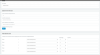
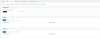
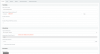
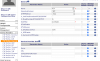
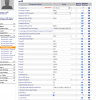
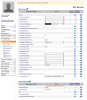
I have attached screenshots of the settings pages, do you see anything out of place?

You are a tremendous help, thanks again.
 

Attachments

  • 3cx_outbound_rules.png
    3cx_outbound_rules.png
    92.6 KB · Views: 211
  • 3cx_trunk_cid.png
    3cx_trunk_cid.png
    64.3 KB · Views: 195
  • 3cx_trunk_did.png
    3cx_trunk_did.png
    36.7 KB · Views: 184
  • 3cx_trunk_general.png
    3cx_trunk_general.png
    87.3 KB · Views: 177
  • 3xc_trunk.png
    3xc_trunk.png
    36 KB · Views: 173
  • obi_itsp_B_gen.png
    obi_itsp_B_gen.png
    117.3 KB · Views: 184
  • obi_itsp_sip.png
    obi_itsp_sip.png
    211 KB · Views: 183
  • obi_sp2.png
    obi_sp2.png
    225.4 KB · Views: 198
Before even looking at anything else, I see that you are using 9 as a prefix, but not stripping it. GV wants 1xxx xxx-xxxx, so if you dial 91xxx xxx-xxxx, you need to strip the 9 and send the remaining.

Check the 3CX Activity Log, to confirm exactly what is sent to the 200
 
The DigitMap should be (xx.(Mipd)), yours is missing a bracket. My mistake, I mistyped it earlier.
 
On ITSP Profile B, the proxy server port should be 5060 (that is the port 3CX is "listening on), unless you have changed the server settings.
 
Last edited:
On SP2 Service

X_InboundCallRoute is NOT your GV phone number, you use your 3CX trunk number.

So... {10000>(xx.):sp}


That's about all I can see for now. Le me know how it works. Use the activity log.
 
Thanks for the corrections, I have fixed the above.

Got the same error message when dialling out. I dial 9 then the number (in this case a Canadian number (***)******19), without any 1.

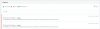
I got some errors in 3CX, as shown in attached screenshot.

Thanks again.
 

Attachments

  • error.png
    error.png
    118.1 KB · Views: 104
Wondering if it is not dialling correctly, since it is only showing last two digits of destination number?
 
I would start with changing your outbound rules to ...

Calls to Numbers starting with 91
Calls to Numbers with a length of 12
On route 1 , strip 1 digit

There may still be other issues
 
I would start with changing your outbound rules to ...

Calls to Numbers starting with 91
Calls to Numbers with a length of 12
On route 1 , strip 1 digit

There may still be other issues
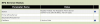
Thanks, have added those into outbound rules. I also noticed in the Obi Status page there is an error for SP2, as seen in the attached screenshot. I have confirmed the IP address of PBX and Obi are correct. Also getting the attached error in 3CX when dialling out.

Internal extensions are working as expected at least :)
 

Attachments

  • 3cx error.png
    3cx error.png
    48.1 KB · Views: 89
  • obi-error.png
    obi-error.png
    24.9 KB · Views: 86
5061 should be the port at the 200 end (Obi200_IP:5061), 5060 should be the port at the PBX end (PBX_IP:5060) . I pointed out previously, that you had 5061 in the wrong spot, in the obi settings
 
5061 should be the port at the 200 end (Obi200_IP:5061), 5060 should be the port at the PBX end (PBX_IP:5060) . I pointed out previously, that you had 5061 in the wrong spot, in the obi settings

Thanks for your reply. It seems as though it is defaulting to registering on port 5061 despite all of my settings directed to 5060.

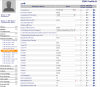
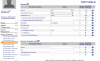
Wondering if the status might be referring to some sort of registration request from 3CX (in an attempt to troubleshoot and see what is happening, I changed the IP in the ITSP B SIP settings to see if the IP listed in SB2 Status would change - it didn't remaining at 172.16.0.6 [ip of PBX], making me think it might be some sort of incoming request) However, as is abundantly clear at the moment, I am quite new to this and there is a decent chance I am wrong.

Let me know if you have any thoughts.

Cheers.
 

Attachments

  • itsp-b-settings.png
    itsp-b-settings.png
    157.1 KB · Views: 103
  • itsp-b-settings1.png
    itsp-b-settings1.png
    103.6 KB · Views: 98
  • sp2settings.png
    sp2settings.png
    140.8 KB · Views: 96
  • sp2status.png
    sp2status.png
    21.7 KB · Views: 96
The SP2staus post should not be showing port 5061 when contacting the IP for the 3CX server, it should use port 5060. On;y 3Cx should use port 5061 when contacting the Obi. You tried re-booting, perhaps a power down then back up? I've found that some settings don't "take" until you do that.
Everything else, in the screens you've posted, seems to be what I have.

When I look at my SP2 Service status, it says...Registered (server= 192.168.xx.xx:5060; expire in 1500s)

The IP is that of my 3CX server
 
The SP2staus post should not be showing port 5061 when contacting the IP for the 3CX server, it should use port 5060. On;y 3Cx should use port 5061 when contacting the Obi. You tried re-booting, perhaps a power down then back up? I've found that some settings don't "take" until you do that.
Everything else, in the screens you've posted, seems to be what I have.

When I look at my SP2 Service status, it says...Registered (server= 192.168.xx.xx:5060; expire in 1500s)

The IP is that of my 3CX server


I completely reset the Obi and re-set it up and Hooray! I’m getting registered on both the OBI end and the PBX end. Additionally, Inbound calls are working perfectly. However, (I’m so sorry to continue with the questions), outbound calls are not working. I get nothing on the phone for about 20 seconds when dialling out, then I get “No answer, call will be ended” Following is the 3CX error. Thanks again for helping me get to this point!


Date/Time - Call to T:Line:10000>>1**********@[Dev:sip:10000@OBI IP Addr:5060] from L:11.1[Extn:000] failed, cause: Cause: 408 Request Timeout/INVITE from local
 
Status
Not open for further replies.

Forum statistics

Threads
112,091
Messages
590,705
Members
165,064
Latest member
husky58