- Joined
- May 24, 2015
- Messages
- 2
- Reaction score
- 0
Hi Everyone
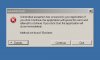
Trying to install ver. 12 after uninstalling ver .11. After installation however I get a dialog box saying "Unhandled Exception has occured" . Clicking on the details gives me the message below
Appreciate any ideas on how to get around this.
Thanks in advance!
Best regards
Ben
Trying to install ver. 12 after uninstalling ver .11. After installation however I get a dialog box saying "Unhandled Exception has occured" . Clicking on the details gives me the message below
See the end of this message for details on invoking
just-in-time (JIT) debugging instead of this dialog box.
************** Exception Text **************
System.MissingMethodException: Method not found: 'Boolean GenericUtilsNet.GlobalProperties.get_IsMultiTenant()'.
at _3cxWizard.MainForm..ctor()
at _3cxWizard.splashScreen.OnPaint(PaintEventArgs e)
at System.Windows.Forms.Control.PaintWithErrorHandling(PaintEventArgs e, Int16 layer)
at System.Windows.Forms.Control.WmPaint(Message& m)
at System.Windows.Forms.Control.WndProc(Message& m)
at System.Windows.Forms.Form.WndProc(Message& m)
at System.Windows.Forms.NativeWindow.Callback(IntPtr hWnd, Int32 msg, IntPtr wparam, IntPtr lparam)
************** Loaded Assemblies **************
mscorlib
Assembly Version: 4.0.0.0
Win32 Version: 4.0.30319.17929 built by: FX45RTMREL
CodeBase: file:///C:/Windows/Microsoft.NET/Framework64/v4.0.30319/mscorlib.dll
----------------------------------------
3cxWizard
Assembly Version: 9.0.0.36085
Win32 Version: 9.0.0.36085
CodeBase: file:///C:/Program%20Files/3CX%20PhoneSystem/Bin/3cxWizard.exe
----------------------------------------
System.Windows.Forms
Assembly Version: 4.0.0.0
Win32 Version: 4.0.30319.17929 built by: FX45RTMREL
CodeBase: file:///C:/Windows/Microsoft.Net/assembly/GAC_MSIL/System.Windows.Forms/v4.0_4.0.0.0__b77a5c561934e089/System.Windows.Forms.dll
----------------------------------------
System
Assembly Version: 4.0.0.0
Win32 Version: 4.0.30319.17929 built by: FX45RTMREL
CodeBase: file:///C:/Windows/Microsoft.Net/assembly/GAC_MSIL/System/v4.0_4.0.0.0__b77a5c561934e089/System.dll
----------------------------------------
System.Drawing
Assembly Version: 4.0.0.0
Win32 Version: 4.0.30319.17929 built by: FX45RTMREL
CodeBase: file:///C:/Windows/Microsoft.Net/assembly/GAC_MSIL/System.Drawing/v4.0_4.0.0.0__b03f5f7f11d50a3a/System.Drawing.dll
----------------------------------------
template
Assembly Version: 1.3.0.0
Win32 Version: 1, 0, 0, 1
CodeBase: file:///C:/Windows/Microsoft.Net/assembly/GAC_64/template/v4.0_1.3.0.0__338968cdcafe2242/template.dll
----------------------------------------
3cxpscomcpp2
Assembly Version: 1.6.0.0
Win32 Version: 1.2.34125.0
CodeBase: file:///C:/Windows/Microsoft.Net/assembly/GAC_64/3cxpscomcpp2/v4.0_1.6.0.0__53c4927ce4749cb4/3cxpscomcpp2.dll
----------------------------------------
Accessibility
Assembly Version: 4.0.0.0
Win32 Version: 4.0.30319.17929 built by: FX45RTMREL
CodeBase: file:///C:/Windows/Microsoft.Net/assembly/GAC_MSIL/Accessibility/v4.0_4.0.0.0__b03f5f7f11d50a3a/Accessibility.dll
----------------------------------------
GenericUtilsNet
Assembly Version: 1.3.0.0
Win32 Version: 1.3.0.0
CodeBase: file:///C:/Windows/Microsoft.Net/assembly/GAC_MSIL/GenericUtilsNet/v4.0_1.3.0.0__6e0aabb991e75921/GenericUtilsNet.dll
----------------------------------------
System.Xml
Assembly Version: 4.0.0.0
Win32 Version: 4.0.30319.17929 built by: FX45RTMREL
CodeBase: file:///C:/Windows/Microsoft.Net/assembly/GAC_MSIL/System.Xml/v4.0_4.0.0.0__b77a5c561934e089/System.Xml.dll
----------------------------------------
************** JIT Debugging **************
To enable just-in-time (JIT) debugging, the .config file for this
application or computer (machine.config) must have the
jitDebugging value set in the system.windows.forms section.
The application must also be compiled with debugging
enabled.
For example:
<configuration>
<system.windows.forms jitDebugging="true" />
</configuration>
When JIT debugging is enabled, any unhandled exception
will be sent to the JIT debugger registered on the computer
rather than be handled by this dialog box.
Appreciate any ideas on how to get around this.
Thanks in advance!
Best regards
Ben