3CXCloud hosted Free Edition and SIP Server with Door Entry Panel

Status
Not open for further replies.

RAX

Free User
Joined
Aug 21, 2020
Messages
14
Reaction score
0
Hi does anyone know if the 3cx cloud hosted server is a SIP server.

I have logged into my 3CX Management console defined 2 x Extensions , downloaded the 3cx app on 2 mobiles and called each extension over the internet. this works fine

I now I have a Net2 door entry panel i dont think its referred to as a IP Phone this is where documentation on website gets fuzzy

The Entry Panel is local to my Internet router (no fancy firewall here) and config wants to know SIP server address - where do i find this ?
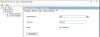
Also can someone clarify if the password in the 2nd screenshot for the Entry panel extension is the "Web authentication password" for the defined extension

Finally do i need a SBC setup as my local site only consists of a
3cx hosted solution in cloud
Net2 Entry Panel,
Net2 Physical Entry Monitor for the above.
Internet Router
2 x 3cx App Phone Clients
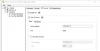
1600158151898.png
1600158170940.png
 
ok so this is a 3cx issue.
I have tested this exact device with Integra SIP, and video quality is excellent, DTMF tones also work. but Audio quality was dismal with them. On 3cx audio quality is excellent
Not a 3CX issue. More like a H264 Codec licensing issue. It might come eventually, it has been requested a lot for this exact reason: doorphones.
 
I have looked over the above postings and my configuration is very similar to the Post from "RAX" except mine is local host.


Have system setup and 3CX has extensions connected and they are able to make calls.
have the Net2 entry setup and it works but still having registering failed (408).
I added an extension (2200) on the general tab under Web Authentication put a password in.
under tab " Phone Provisioning" left the user and password there.
in the NET2 on the site tab I have put the IP of the server, then under the panel settings on the sip tab I put the extension and the password that I setup in the web tab.
but will not register.

where is the" Auth. ID " at also
 
You can read post #15 to see where the Authorization ID goes

In your PBX its under the extension, provisioning, authentication, ID
 
You can try adding the public IP of your PBX here: (I put my local here)

9s73ZqZQG9O8Iyk1uKcLA7hkZcu89njb2aMGSPl9vIpKSF0ZGYmIR5WPYQ0mY-p4TZRqd9VHtGED9dhd83USS3niCBHrHO33Fef2RK1BOHYEuc7fg-WqUMMEkKoJfYb391vP5-H9


You can put the Auth. ID here (I used the one on the " Phone Provisioning "" Authentication " tab)

aBRqeI0blDq8vUMoBd7YKCqrZnfZ6gn0NfsCWQiqd-OzGCMaUHyvfm0vPe_u1EJQmdWcgCXQ90l_0l21FfQWF8YWXEH3ciObWdh-TFiwqVPXg_w8kZv80yYHeT_KSrYSLdnQZuAj


And the extension number and password here (added my extension (2200) and the password from the " Phone Provisioning "" Authentication " tab)

828s1OLonPAT0xlgwZhBKjvZGCIPoMggeiRjzz1g4ad7nG2RlQ-JvxfKU5aDrVY4yHuUAo0EoIG6ARieN6FhhWZyw1vW6CvbLVYPVIapwmfTS-aToAwSjfEoUcTzJhrbSbpB10s2

still no change
 
Last edited:
Yes, you are correct
 
I have confirmed all the above, but still no luck.
The server PC and the NET2 panel are connected to the same switch with no firewalls.
:(
 
Found problem It was in the Black list, changed to allow connected!
Thanks for your help
 
  • Like
Reactions: JohnS_3CX
Yeah I was about to suggest that but I'm glad you found it :)

The previous attempts would have blacklisted the device since it was not yet sending the right credentials
 
On DTMF to open the door, during an active call, press number '1' and it should work. I've tried this on our local 3cx and paxton installation, worked over 4G from the 3CX app.
 
When yoiu say DTMF is this when your calling a tel number rather than a calling SIP number.
 
On DTMF to open the door, during an active call, press number '1' and it should work. I've tried this on our local 3cx and paxton installation, worked over 4G from the 3CX app.

I believe that he is talking about the destination set (mobile or landline), sending DTMF back to the door system, to cause it to open. That is where the DTMF Method is going to get tricky. If you choose to route your outgoing calls over a SIP trunk do not choose a low rate Codec, in the event audio DTMF is used.
 
When yoiu say DTMF is this when your calling a tel number rather than a calling SIP number.
For the purposes of this discussion, by sending DTMF we simply mean pressing a number on your phone's keypad after you answer a call from the door phone.

Similar to when you call a business and you hear the IVR say "for Accounting Press 1, for Sales Press 2", these key-presses are DTMF events.
 
Status
Not open for further replies.

Latest Posts

Forum statistics

Threads
111,964
Messages
590,001
Members
164,869
Latest member
hpgitsupport