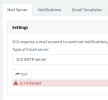
5.7.0 Denied error when sending emails through 3CX SMTP Server

Status
Not open for further replies.

Frank86

Bronze Partner
Joined
Jan 18, 2018
Messages
300
Reaction score
26
If I switch my 3CX public IP to WAN 2 (which is what I want to use for VoIP), the 3CX SMTP server stops sending emails. When I test it under 3CX > Settings > Email, I get the 5.7.0 Denied error message, which only goes away when I switch back to WAN 1.

How can I make the 3CX SMTP server work with my WAN 2 static IP?

Thank you,
 
For the 3cx SMTP to accept mail, both the FQDN IP address and the external IP address used by the 3cx machine must match. Otherwise, you will see this error.
 
Gotcha. Thank you.
 
For the 3cx SMTP to accept mail, both the FQDN IP address and the external IP address used by the 3cx machine must match. Otherwise, you will see this error.
Excellent!
 
For the 3cx SMTP to accept mail, both the FQDN IP address and the external IP address used by the 3cx machine must match. Otherwise, you will see this error.
Hi,

How does it work if i am using Dynamic Public IP?
 
Hi,

How does it work if i am using Dynamic Public IP?
You need to set your PBX to also use dynamic under our Network Settings in the management console.
Settings > Network > Public IP > External IP Configuration

If the IP changes very often then you might see this problem every now and then, but this setting will at least reduce it.

We highly recommend to use a static WAN IP if possible, which will permanently make the problem go away - it's the best solution.
 
I am using Dynamic Public IP and this ip address doesn't change, but the issue is still persists

1685530263981.png
 
I am using Dynamic Public IP and this ip address doesn't change, but the issue is still persists

View attachment 35711
We only recommend using a static public ip address as per guides:

https://www.3cx.com/docs/manual/installing-debian-linux-pbx/

https://www.3cx.com/docs/manual/phone-system-installation-windows/

So to use the 3CX SMTP server both the external public IP address and the public IP address that the your fqdn resolves to, need to match.

Unfortunately there are no other workarounds or solutions for the 3CX SMTP server, if the above requirements are not met.

You may consider using your own custom smtp server with PRO or Enterprise subscription.
 
So to use the 3CX SMTP server both the external public IP address and the public IP address that the your fqdn resolves to, need to match.
Hi,

What about the passive server in the failover scenario?

SMTP service is used on the passive server as well (for example, Backup/Restore notifications). But at the same time FQDN won't be resolved to the correct IP, since FQDN is the same for both servers.
 
Hi,

What about the passive server in the failover scenario?

SMTP service is used on the passive server as well (for example, Backup/Restore notifications). But at the same time FQDN won't be resolved to the correct IP, since FQDN is the same for both servers.
In these cases you would need to use your own smtp server instead.
 
In these cases you would need to use your own smtp server instead.
What about Split DNS?

This is one of the several requirements before upgrade to V20.
How should FQDN be resolved in this case?
 
What about Split DNS?

This is one of the several requirements before upgrade to V20.
How should FQDN be resolved in this case?
Split DNS hasnt anything to do with smtp sending. Its just internal.
 
Split DNS hasnt anything to do with smtp sending. Its just internal.
I will post another thread to avoid misunderstanding.
 
Status
Not open for further replies.

Forum statistics

Threads
112,326
Messages
591,900
Members
165,479
Latest member
Senergia