- Joined
- Dec 9, 2008
- Messages
- 19
- Reaction score
- 0
We are trying to install new Ver 15 RC2 in a new Win 7 Fresh machine, and after required components got installed, we are getting following error:
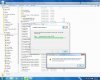
there is a problem with the windows installer package. A DLL required for this install to complete could not be found.
Our concern is that Log file named Clud install and we are installing: 3CXPhoneforWindows15.msi
3CXPhoneSystemCloud_install.log
This is the last part of log file, and attached you will fin the full content.
AI_InstallPrerequisite: Installing Visual C++ Redistributable for Visual Studio 2015 x64 completed
MSI (c) (2C:A4) [17:21:18:868]: Note: 1: 2205 2: 3: AI_TempFile
MSI (c) (2C:A4) [17:21:18:868]: Note: 1: 2228 2: 3: AI_TempFile 4: SELECT `Property` FROM `AI_TempFile`
MSI (c) (2C:A4) [17:21:18:868]: Note: 1: 2205 2: 3: AI_XmlLocator
MSI (c) (2C:A4) [17:21:18:868]: Note: 1: 2228 2: 3: AI_XmlLocator 4: SELECT `Property` FROM `AI_XmlLocator`
MSI (c) (2C:A4) [17:21:18:883]: Note: 1: 2205 2: 3: AI_ChainedPackage
MSI (c) (2C:A4) [17:21:18:883]: Note: 1: 2228 2: 3: AI_ChainedPackage 4: SELECT `ChainedPackage` FROM `AI_ChainedPackage`
MSI (c) (2C:A4) [17:21:39:232]: Doing action: FatalError
Action 17:21:39: FatalError.
Action start 17:21:39: FatalError.
MSI (c) (2C:10) [17:21:39:232]: Note: 1: 2205 2: 3: AI_ControlEx
MSI (c) (2C:10) [17:21:39:232]: Note: 1: 2228 2: 3: AI_ControlEx 4: SELECT `Dialog_`,`Control`,`Type`,`Parent`,`Attributes`,`Data` FROM `AI_ControlEx` WHERE `Dialog_` = 'FatalError'
Action ended 17:21:42: FatalError. Return value 1.
MSI (c) (2C:A4) [17:21:42:055]: Doing action: AI_CleanPrereq
Action 17:21:42: AI_CleanPrereq.
Action start 17:21:42: AI_CleanPrereq.
MSI (c) (2C:68) [17:21:42:055]: Invoking remote custom action. DLL: C:\Users\Admin\AppData\Local\Temp\MSIF1E9.tmp, Entrypoint: CleanPrereq
Action ended 17:21:42: AI_CleanPrereq. Return value 1.
MSI (c) (2C:A4) [17:21:42:071]: Doing action: FatalError
Action 17:21:42: FatalError.
Action start 17:21:42: FatalError.
Action ended 17:21:42: FatalError. Return value 1.
MSI (c) (2C:A4) [17:21:42:071]: Doing action: AI_SHOW_LOG
Action 17:21:42: AI_SHOW_LOG.
Action start 17:21:42: AI_SHOW_LOG.
MSI (c) (2C:A8) [17:21:42:071]: Invoking remote custom action. DLL: C:\Users\Admin\AppData\Local\Temp\MSIF1F9.tmp, Entrypoint: LaunchLogFile
Action ended 17:21:42: AI_SHOW_LOG. Return value 1.
MSI (c) (2C:A4) [17:21:42:196]: Doing action: FatalError
Action 17:21:42: FatalError.
Action start 17:21:42: FatalError.
Action ended 17:21:42: FatalError. Return value 2.
MSI (c) (2C:A4) [17:21:42:196]: Note: 1: 2205 2: 3: Environment
MSI (c) (2C:A4) [17:21:42:196]: Note: 1: 2228 2: 3: Environment 4: SELECT `Environment`,`Component_` FROM `Environment`
MSI (c) (2C:A8) [17:21:42:211]: Destroying RemoteAPI object.
MSI (c) (2C:64) [17:21:42:211]: Custom Action Manager thread ending.
=== Verbose logging stopped: 7/8/2016 17:21:42 ===
there is a problem with the windows installer package. A DLL required for this install to complete could not be found.
Our concern is that Log file named Clud install and we are installing: 3CXPhoneforWindows15.msi
3CXPhoneSystemCloud_install.log
This is the last part of log file, and attached you will fin the full content.
AI_InstallPrerequisite: Installing Visual C++ Redistributable for Visual Studio 2015 x64 completed
MSI (c) (2C:A4) [17:21:18:868]: Note: 1: 2205 2: 3: AI_TempFile
MSI (c) (2C:A4) [17:21:18:868]: Note: 1: 2228 2: 3: AI_TempFile 4: SELECT `Property` FROM `AI_TempFile`
MSI (c) (2C:A4) [17:21:18:868]: Note: 1: 2205 2: 3: AI_XmlLocator
MSI (c) (2C:A4) [17:21:18:868]: Note: 1: 2228 2: 3: AI_XmlLocator 4: SELECT `Property` FROM `AI_XmlLocator`
MSI (c) (2C:A4) [17:21:18:883]: Note: 1: 2205 2: 3: AI_ChainedPackage
MSI (c) (2C:A4) [17:21:18:883]: Note: 1: 2228 2: 3: AI_ChainedPackage 4: SELECT `ChainedPackage` FROM `AI_ChainedPackage`
MSI (c) (2C:A4) [17:21:39:232]: Doing action: FatalError
Action 17:21:39: FatalError.
Action start 17:21:39: FatalError.
MSI (c) (2C:10) [17:21:39:232]: Note: 1: 2205 2: 3: AI_ControlEx
MSI (c) (2C:10) [17:21:39:232]: Note: 1: 2228 2: 3: AI_ControlEx 4: SELECT `Dialog_`,`Control`,`Type`,`Parent`,`Attributes`,`Data` FROM `AI_ControlEx` WHERE `Dialog_` = 'FatalError'
Action ended 17:21:42: FatalError. Return value 1.
MSI (c) (2C:A4) [17:21:42:055]: Doing action: AI_CleanPrereq
Action 17:21:42: AI_CleanPrereq.
Action start 17:21:42: AI_CleanPrereq.
MSI (c) (2C:68) [17:21:42:055]: Invoking remote custom action. DLL: C:\Users\Admin\AppData\Local\Temp\MSIF1E9.tmp, Entrypoint: CleanPrereq
Action ended 17:21:42: AI_CleanPrereq. Return value 1.
MSI (c) (2C:A4) [17:21:42:071]: Doing action: FatalError
Action 17:21:42: FatalError.
Action start 17:21:42: FatalError.
Action ended 17:21:42: FatalError. Return value 1.
MSI (c) (2C:A4) [17:21:42:071]: Doing action: AI_SHOW_LOG
Action 17:21:42: AI_SHOW_LOG.
Action start 17:21:42: AI_SHOW_LOG.
MSI (c) (2C:A8) [17:21:42:071]: Invoking remote custom action. DLL: C:\Users\Admin\AppData\Local\Temp\MSIF1F9.tmp, Entrypoint: LaunchLogFile
Action ended 17:21:42: AI_SHOW_LOG. Return value 1.
MSI (c) (2C:A4) [17:21:42:196]: Doing action: FatalError
Action 17:21:42: FatalError.
Action start 17:21:42: FatalError.
Action ended 17:21:42: FatalError. Return value 2.
MSI (c) (2C:A4) [17:21:42:196]: Note: 1: 2205 2: 3: Environment
MSI (c) (2C:A4) [17:21:42:196]: Note: 1: 2228 2: 3: Environment 4: SELECT `Environment`,`Component_` FROM `Environment`
MSI (c) (2C:A8) [17:21:42:211]: Destroying RemoteAPI object.
MSI (c) (2C:64) [17:21:42:211]: Custom Action Manager thread ending.
=== Verbose logging stopped: 7/8/2016 17:21:42 ===